

What if the secret to getting more done isn't trying harder, but finding a way of working that suits your brain?
At a glance
- Traditional productivity systems often assume skills that ADHD can make difficult.
- An ADHD-friendly system reduces the mental effort involved in managing responsibilities.
- Start with the difficulties that affect you most, not every strategy at once.
- Simple, visible systems that survive bad days are more useful than elaborate ones.
- AI assistants can help organise information and identify next actions.
- Workplace adjustments and professional support may also be valuable.
You've bought the planner. Downloaded the productivity app. Colour-coded your calendar. Watched the videos about transforming your morning routine.
For the first few days, everything goes brilliantly.
Two weeks later, you've forgotten the password to the productivity app, the planner is somewhere underneath a pile of paperwork and your calendar is enthusiastically reminding you about things you've already missed.
Sound familiar?
Many conventional productivity systems assume that remembering, prioritising, estimating time and getting started are relatively straightforward.
For people with ADHD, those can be some of the most demanding parts of getting things done.
A genuinely ADHD-friendly productivity system needs to account for those difficulties rather than assume they don't exist.
Why traditional productivity advice doesn't always work with ADHD
ADHD can affect executive functioning, a collection of cognitive processes that help us organise information, manage attention, make decisions and work towards goals.
These processes are involved in almost everything we do during a typical working day.
You might experience difficulties with:
- Knowing where to begin.
- Establishing which task is most important.
- Remembering several instructions at once.
- Estimating how long something will take.
- Switching between activities.
- Maintaining attention during repetitive work.
- Remembering unfinished tasks after an interruption.
- Recognising when it's time to stop.
The challenge isn't necessarily understanding what needs doing. It's managing the processes involved in actually doing it.
A traditional to-do list might tell you that you have fifteen outstanding tasks.
But it doesn't necessarily help you decide which one matters most, break it into manageable steps or get started.
That's where a more ADHD-friendly approach can make a difference.
What makes a productivity system ADHD-friendly?
An effective system should reduce the mental effort involved in managing your responsibilities.
It should be:
- Simple enough to maintain.
- Easy to return to after an interruption.
- Visible and accessible.
- Flexible enough to accommodate changes.
- Helpful when your concentration is poor, not just when you're having a good day.
- Designed to help you take action rather than simply collect information.
You don't need to use all the strategies in this guide.
Start with the difficulties that affect you most frequently and experiment with the approaches that address them.
1. Create one place to capture everything
ADHD can make it particularly difficult to hold onto information whilst concentrating on something else.
You're halfway through writing an email when you remember that the car insurance needs renewing.
Then you remember a conversation you need to have with a colleague.
Then something else occurs to you.
Before long, you've abandoned the email and opened four unrelated browser tabs.
Instead of trying to remember every thought or acting on it immediately, create one reliable place to capture it.
This could be:
- A notebook.
- A notes application.
- A digital task manager.
- A voice note system.
- An AI assistant used with appropriate privacy safeguards.
The format matters less than having somewhere consistent to put things.
Separate capturing from organising
When something occurs to you, write it down without deciding what to do about it immediately.
Return to your capture list at an appropriate time and organise the information.
This helps you avoid interrupting your current activity every time another responsibility enters your mind.
Good to know
Your capture list doesn't need to look beautiful. It needs to work.
2. Stop treating your entire to-do list as today's workload
An enormous task list can be surprisingly unhelpful when you're struggling to prioritise.
Everything is visible. Everything appears important. Everything is competing for your attention.
Instead, separate your master list from your daily priorities.
Your master list contains everything you need to remember.
Your daily list contains what you realistically intend to address today.
Try this: the one-plus-two approach
Choose:
- One essential task.
- Two useful additional tasks.
- Optional tasks if you have time and energy remaining.
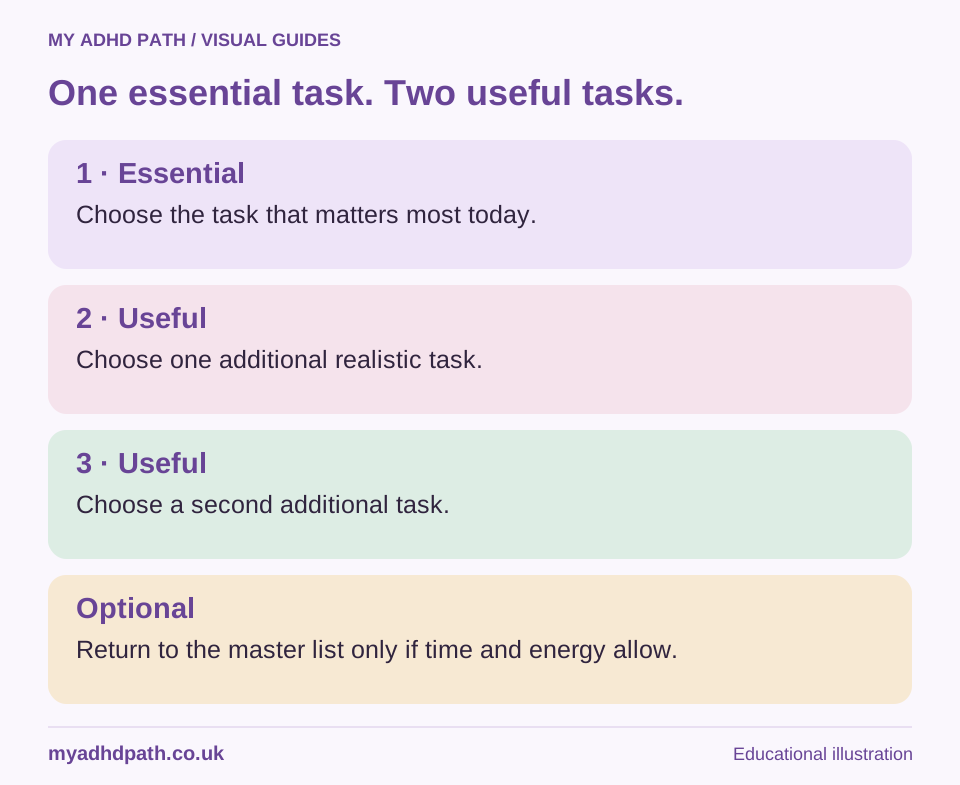
| Priority | Task |
|---|---|
| Essential | Submit the client proposal |
| Useful | Pay outstanding supplier invoice |
| Useful | Arrange next week's meeting |
| Optional | Clear old emails and organise files |
You may achieve considerably more than this during a working day.
The purpose is to establish a clear direction rather than place an artificial limit on what you can accomplish.
If something unexpected happens, you already know which responsibility needs protecting.
3. Turn tasks into starting actions
Some tasks appear straightforward on paper but contain considerable hidden complexity.
"Update website."
"Sort finances."
"Prepare presentation."
"Organise the house."
Each of these requires several decisions before you can begin.
If getting started is difficult, replace the task with its first practical action.
| Overwhelming task | Clear starting action |
|---|---|
| Update website | Open the homepage editor |
| Sort finances | Download last month's bank statement |
| Prepare presentation | Create a document with three main headings |
| Organise the house | Clear the kitchen worktop |
| Find a new job | Open your existing CV |
| Reply to emails | Open the oldest important unanswered message |
Once you've completed the starting action, the next step may become easier to identify.
If it doesn't, break the activity down again.
Good to know
The smaller step isn't necessarily the whole solution. It's a way into the task.
4. Give yourself five minutes to begin
Sometimes the anticipation of a task is more demanding than the task itself.
You might spend an entire morning avoiding something that ultimately takes twenty minutes to complete.
Try this: the five-minute rule
Commit to just five minutes of activity.
Open the document. Read the instructions. Write the first sentence. Sort the first few items.
When the five minutes are over, decide whether to continue.
You might find that starting reduces some of the resistance you were experiencing. Equally, you might decide that five minutes is enough for now.
Both outcomes provide useful information.
This approach is particularly helpful when you're facing a task that feels too large, repetitive or mentally demanding to begin.
Avoid turning it into a hidden obligation to finish everything once you've started.
5. Make time visible
Many people with ADHD describe difficulties estimating, monitoring and managing the passage of time.
This is sometimes referred to as time blindness, although it is not a formal diagnostic term.
You may underestimate how long a task will take, become absorbed in an activity or repeatedly find that appointments seem to arrive much sooner than expected.
Making time more visible can help.
Use external time cues
Consider experimenting with:
- A visual countdown timer.
- A clock positioned within your working area.
- Calendar blocks showing when activities begin and end.
- Reminders that signal when you need to start preparing.
- Timers for activities that tend to absorb your attention.
Try this: layered reminders
Instead of setting a reminder for a meeting at 2pm, set one at 1.45pm to finish your current activity and another at 1.55pm to join the meeting.
The first reminder creates transition time. The second reminds you of the commitment itself.
Learn from actual task durations
Choose a few everyday tasks and record how long they really take.
You might discover that something you regularly allow fifteen minutes for actually takes forty.
That information can make future planning more realistic.
6. Make the Pomodoro technique work for you
The traditional Pomodoro technique involves working for twenty-five minutes, taking a five-minute break and repeating the process.
Some people with ADHD find this extremely helpful.
Others find that the alarm interrupts their concentration just as they're making progress.
You don't need to follow the original timings rigidly.
| Type of activity | Suggested starting experiment |
|---|---|
| Difficult or repetitive task | 10 minutes working, 3 minutes resting |
| Routine administration | 25 minutes working, 5 minutes resting |
| Creative or complex work | 45-60 minutes working, 10 minutes resting |
| Particularly demanding day | 5 minutes working, followed by a short reset |
Good to know
These are suggestions, not clinically established ideal ADHD working intervals. Adjust the timings according to your concentration, responsibilities and wellbeing.
If you're comfortably focused on something important, you might prefer an alarm that reminds you to check in with yourself rather than requiring you to stop immediately.
The technique should support your attention, not become another source of interruptions.
7. Try body doubling
Body doubling involves completing an activity whilst another person is present.
They don't necessarily need to help you with the task or even be doing something similar.
You could work alongside a colleague, sit at the kitchen table whilst someone else reads or join a virtual co-working session.
For some people, the presence of another person provides a sense of structure, accountability or encouragement that makes getting started easier.
Ways to experiment with body doubling
- Arrange a quiet working session with a friend.
- Work in a shared office or library.
- Join a virtual co-working session.
- Arrange a short video call where both participants complete their own tasks.
- Tackle household administration alongside your partner.
You might agree on what each person intends to achieve before beginning and briefly check in afterwards.
What the research says
Research specifically examining body doubling for ADHD remains limited. It is best regarded as a practical strategy to experiment with rather than an established treatment.
If having another person nearby distracts you, working alone may be more suitable.
8. Plan around your attention and energy
Not every task requires the same level of concentration.
Writing a complicated report might require sustained attention, whilst filing documents or ordering office supplies may be possible when you're feeling less mentally alert.
Instead of assuming you should operate at the same level throughout the day, notice when different activities feel most manageable.
You could organise your work into three categories.
High-concentration activities
- Writing.
- Strategic planning.
- Financial analysis.
- Complex problem-solving.
- Important decisions.
Moderate-concentration activities
- Routine correspondence.
- Reviewing familiar documents.
- Preparing straightforward materials.
- Organising projects.
Lower-concentration activities
- Filing.
- Scheduling familiar appointments.
- Updating records.
- Other routine tasks that can safely be completed with less mental effort.
Where your circumstances allow, match your more demanding activities with periods when you tend to concentrate well.
Good to know
Avoid assuming that everybody with ADHD works best in the morning or late at night. Your own patterns are more useful than someone else's ideal schedule.
9. Leave yourself a way back into unfinished work
Interruptions can make it particularly difficult to return to an activity.
You might have been working through a complicated problem when a colleague asked a question.
Twenty minutes later, you're staring at your screen trying to remember what you were doing.
A restart note can help preserve the context of unfinished work.
Try this: restart notes
Before switching tasks, briefly record:
- What you were working on.
- What you've completed.
- What needs to happen next.
- Anything you need to remember.
For example: "Reviewed the first three supplier quotes. Need to compare delivery charges on the remaining two. All documents are in the April purchasing folder."
You can keep restart notes in a notebook, project management tool or at the top of a working document.
This is particularly useful if you manage several projects or regularly move between different responsibilities.
You don't need to reconstruct the entire thought process when you return. You've left yourself a starting point.
10. Design a working environment that supports you
Concentration is influenced by your surroundings.
Some people with ADHD find background noise distracting. Others concentrate better with a little activity around them.
Some benefit from visual reminders, whilst others find that visible clutter competes for their attention.
Your ideal environment may differ depending on the activity.
Consider what regularly interrupts your work
Is it:
- Notifications?
- People asking questions?
- Background conversations?
- Visual clutter?
- Uncomfortable seating?
- Switching between applications?
- Having to search for information repeatedly?
Choose one or two changes that address the most frequent difficulties.
Silence unnecessary notifications. Keep essential equipment within reach. Use headphones if appropriate. Close unrelated applications. Arrange uninterrupted working periods.
You don't need a perfectly organised desk to do good work. You need an environment that makes the work easier to begin and continue.
11. Use AI as an executive functioning assistant
Artificial intelligence can be particularly useful when the challenge isn't collecting information but organising it into something you can act on.
A task management application might store everything you need to do.
An AI assistant may help you make sense of that information.
For example, it could help you:
- Separate urgent work from less important responsibilities.
- Break complicated projects into manageable stages.
- Identify the next practical action.
- Summarise approved documents.
- Prepare for meetings.
- Draft routine correspondence.
- Reconstruct the context of unfinished work.
- Compare competing options.
- Create realistic daily plans.
The benefit is potentially reducing some of the mental effort involved in working out what to do next.
AI prompt: when everything feels urgent
I have several competing responsibilities and I'm struggling to prioritise them. Help me identify genuine deadlines, essential tasks and things that can wait. Give me one clear starting action rather than an overwhelming list.
AI prompt: when you cannot get started
I need to complete the following task, but I'm finding it difficult to begin. Break it into small practical steps. Start with something I can complete in five minutes.
AI prompt: when you've lost track of a project
Here are my recent project notes. Help me establish what has been completed, what remains outstanding and which action I should take next. Highlight anything that is unclear rather than making assumptions.
AI prompt: when you've taken on too much
Review these commitments and help me identify what could be postponed, simplified, delegated or removed. Create a realistic plan that allows for interruptions and breaks.
Good to know
AI tools can make mistakes and misunderstand context. Always check important information, decisions and recommendations. Use services appropriate for the information you're handling, particularly when working with confidential business, client or personal data.
AI is not a treatment for ADHD, but it may be a useful practical support tool.
12. Create an end-of-day shutdown routine
For some people with ADHD, unfinished work continues occupying their thoughts long after the working day has ended.
You remember things you haven't completed. New ideas occur to you. You wonder whether you've forgotten an important responsibility.
A short shutdown routine can help create a clearer boundary between working time and personal time.
Practical checklist: end-of-day shutdown
- Capture any outstanding thoughts or tasks.
- Record where you've reached with unfinished work.
- Check tomorrow's appointments.
- Choose a provisional priority for the following day.
- Close applications and put work away.
You don't need to clear your entire task list before finishing.
The purpose is to know that important information has been captured and that you have somewhere to begin tomorrow.
Putting it all together: an ADHD-friendly working day
There is no universally ideal working day for someone with ADHD.
However, the following fictional example demonstrates how several strategies might work together.
| Time | Activity | Support strategy |
|---|---|---|
| 9am | Review calendar and priorities | One essential task and two useful tasks |
| 9.15am | Begin important project | Clear starting action and protected focus |
| 10.15am | Short break | External timer |
| 10.30am | Continue project | Reduced notifications |
| 11.30am | Emails and administration | Group similar activities |
| 12.30pm | Lunch | Genuine break from work |
| 1.30pm | Team meeting | Written agenda and action notes |
| 2.15pm | Review outstanding tasks | Adjust priorities following meeting |
| 2.30pm | Routine project work | Flexible concentration intervals |
| 4.30pm | Prepare for tomorrow | Capture tasks and write restart notes |
| 4.45pm | Finish work | Shutdown routine |
This is an illustration, not a schedule everyone should follow.
Shift workers, teachers, healthcare professionals, parents, business owners and people working in public-facing roles may have very different levels of control over their day.
Adapt the principles to your circumstances.
Choosing productivity tools without creating another problem
It can be tempting to search for the perfect ADHD productivity application.
Something that manages your calendar, reminders, notes, projects, habits and long-term goals in one beautifully designed dashboard.
The difficulty is that learning and maintaining a complicated system can become a project in its own right.
Before adopting a new tool, consider the problem you're trying to solve.
| Difficulty | Type of tool to consider |
|---|---|
| Forgetting appointments | Calendar with reminders |
| Losing track of tasks | Simple task manager |
| Difficulty prioritising | Planning assistant or AI tool |
| Estimating time | Visual timer |
| Remembering conversations | Written notes or approved transcription tools |
| Starting tasks | Body doubling or structured task breakdown |
| Managing several projects | Project management system |
| Getting distracted online | Notification controls or website blockers |
Begin with the smallest collection of tools that meets your needs.
A notebook, calendar and timer may be enough.
Alternatively, someone managing multiple business projects may benefit from more advanced software and assistive technology.
The right system is the one that supports your actual responsibilities.
Why your productivity system needs to work on difficult days
It's relatively easy to design an ambitious productivity system when you're feeling motivated.
You can create a complicated weekly schedule, assign colours to every category and set up an impressive collection of automated reminders.
But what happens when you're exhausted, distracted or overwhelmed?
Can you still use it?
Can you quickly find your next action?
Can you miss a day without the entire system falling apart?
A useful system needs an easy route back in.
If you've stopped using your planner for a week, you shouldn't have to reconstruct every missing day before you can begin again.
Open it at today's date.
Start from where you are.
The ten-minute productivity reset
When your working day feels chaotic and you have no idea where to begin, try this short reset.
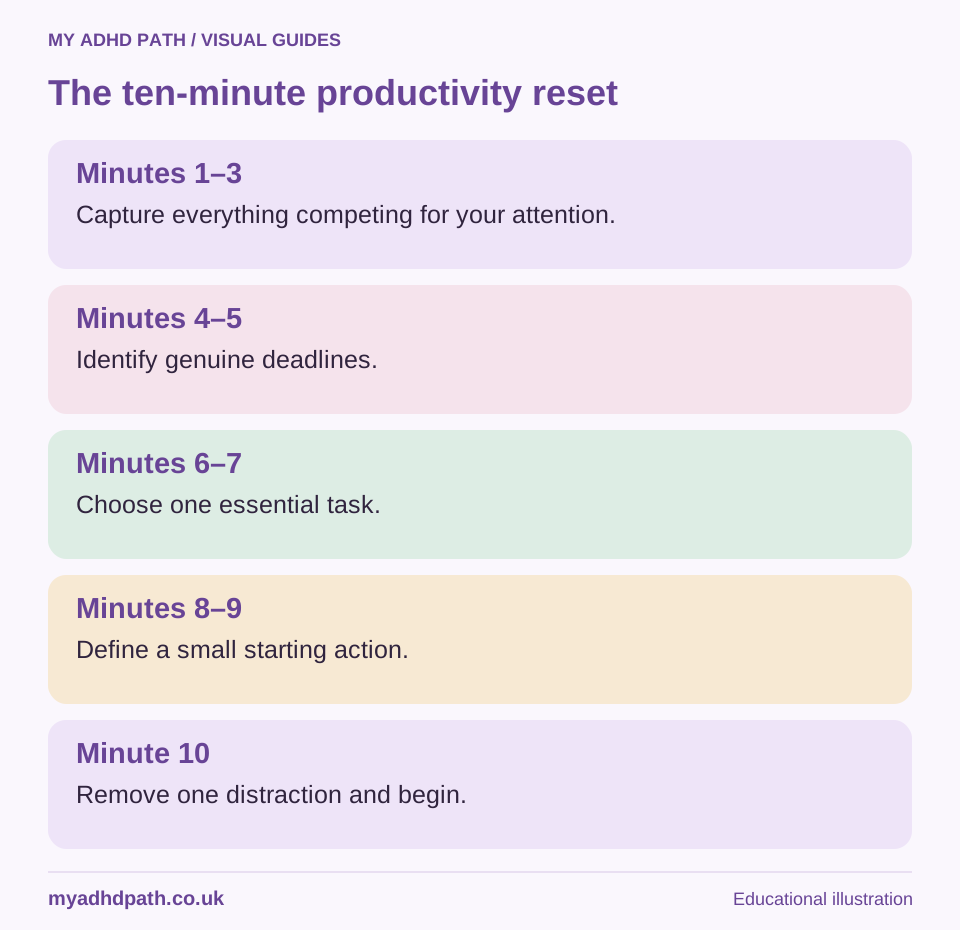
| Time | Action |
|---|---|
| Minutes 1-3 | Write down everything competing for your attention |
| Minutes 4-5 | Identify genuine deadlines and urgent responsibilities |
| Minutes 6-7 | Choose one essential task |
| Minutes 8-9 | Break it into a straightforward starting action |
| Minute 10 | Remove one distraction and begin |
If you find it difficult to organise the information yourself, you could ask a trusted colleague, coach or suitable AI assistant to help you establish priorities.
The aim isn't to solve every outstanding problem in ten minutes. It's to give yourself a workable starting point.
Can workplace support make a difference?
Productivity strategies can be valuable, but individual effort isn't always enough to compensate for an unsuitable working environment.
Depending on your circumstances, helpful workplace adjustments might include:
- Written instructions.
- Clearer deadlines and priorities.
- Protected concentration time.
- Flexible working arrangements.
- Suitable assistive technology.
- Regular check-ins.
- ADHD-informed workplace coaching.
- A quieter working environment.
In Great Britain, employers may have a duty to make reasonable adjustments where an employee meets the relevant disability-related legal requirements under the Equality Act 2010.
Eligible individuals may also be able to access support through the government's Access to Work scheme.
Our dedicated ADHD at Work guides explain these options in more detail.
When productivity strategies aren't enough
There may be periods when even your most reliable strategies become difficult to maintain.
Stress, poor sleep, physical illness, hormonal changes and mental health difficulties can all affect concentration and everyday functioning.
If you experience persistent problems that significantly interfere with work, education, relationships or daily life, consider speaking to an appropriately qualified healthcare professional.
For people with ADHD, suitable treatment and psychological or practical support may complement everyday organisational strategies.
Productivity tools are not a replacement for appropriate healthcare.
Frequently asked questions
There isn't one system that works for everyone. A useful starting point is a simple capture list, a calendar, clear daily priorities and practical task breakdowns.
A to-do list records responsibilities but may not help with prioritising, estimating time, making decisions or getting started. Additional structure can make it more useful.
Some people find timed working intervals helpful. Others prefer longer periods of uninterrupted concentration. Experiment with different timings rather than treating the original technique as a fixed rule.
Body doubling involves working whilst another person is present, either physically or virtually. Some people find that it provides structure and helps them begin or continue tasks.
AI assistants may help organise information, establish priorities and break down complicated tasks. Their outputs should be checked, and appropriate privacy safeguards are important.
Choose fewer tools, keep them visible and incorporate reminders into activities you already complete regularly. Create a system that's easy to restart after a period of not using it.
Attention can vary considerably depending on factors such as interest, novelty, reward, environmental demands and fatigue. Many people with ADHD experience difficulties regulating attention rather than simply being unable to concentrate.
Depending on eligibility, individual workplace needs and assessment outcomes, Access to Work may fund certain forms of assistive technology or practical support. Funding is not automatic.
No. Choose one or two approaches that address your most significant difficulties. Add other strategies only when they serve a useful purpose.
Productivity isn't about filling every available minute
It's easy to become so focused on organising your life that organising your life becomes another full-time responsibility.
A helpful productivity system should make your days easier to navigate.
It should help you remember what matters, make decisions with greater clarity and spend more time doing the things you want or need to do.
Some days you'll achieve a great deal.
Other days, getting through one important task will be enough.
The most effective system isn't necessarily the most impressive, complicated or beautifully organised one.
It's the one you can actually live with.
Sources and further reading
- NICE - Attention deficit hyperactivity disorder: diagnosis and management (NG87). https://www.nice.org.uk/guidance/ng87
- NHS - Attention deficit hyperactivity disorder (ADHD). https://www.nhs.uk/conditions/attention-deficit-hyperactivity-disorder-adhd/
- Faraone et al. (2021). The World Federation of ADHD International Consensus Statement: 208 Evidence-based conclusions about the disorder. https://doi.org/10.1016/j.neubiorev.2021.01.022
- Knouse, L.E., Teller, J. and Brooks, M.A. (2017). Meta-analysis of cognitive-behavioural treatments for adult ADHD. https://doi.org/10.1037/ccp0000216
- Acas - Reasonable adjustments. https://www.acas.org.uk/reasonable-adjustments
- GOV.UK - Access to Work. https://www.gov.uk/access-to-work
This article provides general educational information and practical suggestions. It is not a substitute for professional medical advice, diagnosis or treatment. Individual experiences of ADHD vary, and not every productivity strategy will be suitable for everyone.