

The more useful an AI assistant becomes, the more you may want to tell it about your life. Understanding where to draw the line is part of making technology work for you.
You start by asking an AI assistant to help organise your afternoon.
Then you ask it to help prepare an email.
A few weeks later, you're discussing your working responsibilities, family arrangements, financial administration and the challenges you experience with ADHD.
You've discovered something that helps you make sense of your thoughts.
Something that doesn't mind if you change direction halfway through a conversation.
Something that can help you untangle a complicated situation without requiring you to organise everything perfectly beforehand.
Naturally, you begin to share more information.
This is understandable.
The context you provide can make the support more relevant.
But there is an important distinction between having a conversation that feels private and using a service that provides particular privacy protections.
Understanding that distinction doesn't mean you need to stop using AI.
It means you can make better-informed decisions about how you use it.
At a glance
- AI assistants may process and retain information you provide, depending on the service and its settings.
- Privacy, security, confidentiality and data protection are related but different concepts.
- You can often receive useful AI assistance without revealing identifying information.
- Health records, children's information, financial details and confidential workplace material require particular consideration.
- Memory settings, conversation history, data retention and model training are separate issues.
- AI-generated answers may contain convincing errors or fabricated information.
- Connecting applications introduces additional permissions and responsibilities.
- Locally hosted AI offers different privacy possibilities but is not automatically secure.
- Strong account security, limited permissions and sensible verification habits can reduce avoidable risks.
- You do not need to understand every technical detail before developing safer digital habits.
Why privacy matters when AI becomes part of your everyday life
Traditional software often asks you to provide information in a relatively structured format.
A calendar needs an appointment time.
A banking application needs payment details.
A task manager needs a description of what needs doing.
Conversational AI encourages something different.
It allows you to describe an entire situation in your own words.
You might explain how you feel about a particular responsibility, why you're finding it difficult and what else is happening in your life.
That flexibility can be particularly useful for somebody who finds structured forms or conventional organisational applications demanding.
However, it also creates opportunities to share considerably more information than a particular task requires.
You may begin asking for help with an email and end up explaining an entire workplace situation, including the names of colleagues and details of confidential conversations.
The additional information might help the assistant understand your situation.
But not all of it is necessarily required.
Learning to provide useful context without unnecessarily exposing personal information is a valuable digital skill.
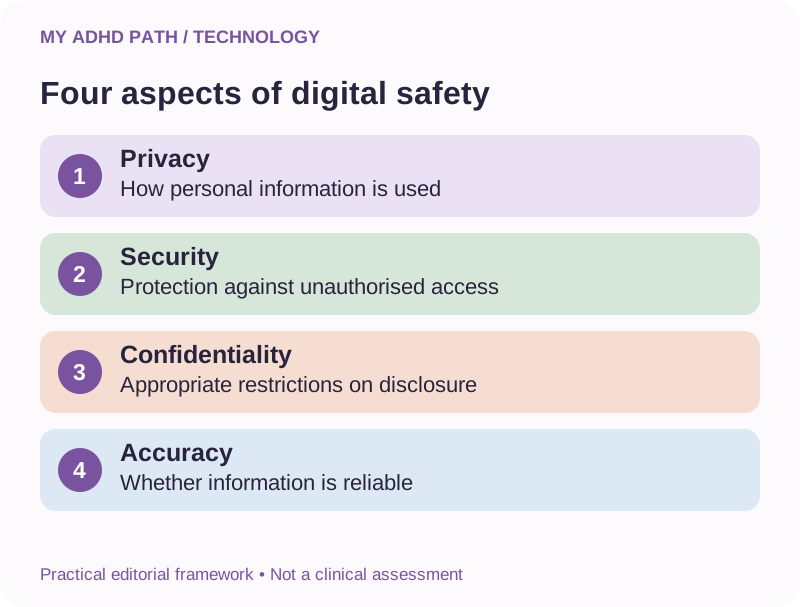
Privacy, security, confidentiality and accuracy
These four concepts are frequently discussed together, but they describe different considerations.
Privacy
Privacy concerns how personal information is collected, used, shared and retained.
Security
Security concerns how information and systems are protected against unauthorised access, loss, misuse or interference.
Confidentiality
Confidentiality concerns whether information is restricted to appropriate people or organisations in accordance with relevant expectations and obligations.
Accuracy
Accuracy concerns whether information provided by a system is correct, complete and sufficiently reliable for its intended purpose.
A service might have strong account security but retain information for longer than you would prefer.
A locally hosted AI system might provide greater control over certain data but still generate incorrect information.
A confidential working environment does not automatically make every AI-generated answer reliable.
Each consideration needs to be understood separately.
Why ADHD may be relevant to digital safety
ADHD does not make somebody inherently careless or incapable of making safe decisions.
People with ADHD have varied strengths, experiences and approaches to technology.
However, some aspects of executive functioning may be relevant when considering digital safety.
For example, maintaining attention while reading lengthy privacy policies may require considerable effort.
Managing multiple passwords and account settings may introduce additional organisational demands.
Making decisions during periods of overwhelm could be particularly challenging.
Some people may concentrate intensely on solving a technical problem and temporarily overlook other considerations.
Others may find that the convenience of an integrated digital system makes it easy to grant additional permissions without reviewing every implication.
These experiences are not exclusive to ADHD.
The objective is not to suggest that people with ADHD are particularly unsafe online.
It is to create straightforward, sustainable safety practices that do not depend on continually remembering complicated rules.
What happens to information you share with AI?
When you enter information into a cloud-based AI assistant, it may be transmitted to systems operated by the service provider or its authorised infrastructure providers.
The service processes the information to generate a response.
Depending on the provider, product, account type and settings, information may also be retained or processed for purposes including:
- Maintaining conversation history.
- Providing personalised functionality.
- Operating and improving the service.
- Detecting abuse or security threats.
- Providing technical support.
- Meeting legal obligations.
- Improving AI models, where applicable.
Different providers operate under different arrangements.
Consumer accounts, business services and enterprise products may also have different contractual and privacy terms.
It is therefore important to check the arrangements for the actual service and account you use.
Do not assume that all AI platforms handle information in the same way.
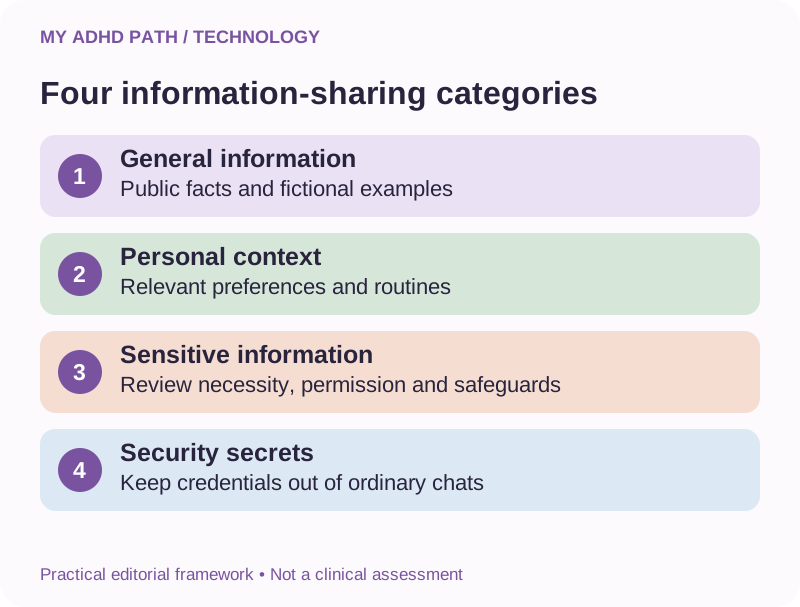
Four categories of information to consider before sharing
The following My ADHD Path framework provides a practical way to think about information sharing.
It is not a formal legal classification or a guarantee of safety.
Category one: General information
Examples include fictional scenarios, general questions, public information and non-sensitive planning activities.
These are often suitable starting points for AI assistance.
Category two: Personal context
Examples include your preferred working hours, communication preferences, general responsibilities and descriptions of organisational difficulties.
This information may make AI support more relevant.
Consider whether identifying details are necessary.
Category three: Sensitive or confidential information
Examples include health records, children's information, private financial circumstances, client documents and confidential workplace communications.
Sharing this information requires greater consideration of permissions, necessity and suitable privacy arrangements.
Category four: Access credentials and security secrets
Examples include passwords, authentication codes, recovery phrases, private cryptographic keys, secret API tokens and banking PINs.
These should not be pasted into ordinary AI conversations.
They can provide direct access to accounts, systems or information.
If a task involves technical configuration, use placeholders and appropriate secure credential storage instead.
Information categories can overlap, and the sensitivity of a detail may depend on what other information is available.
Personalisation without unnecessary exposure
One of the benefits of conversational AI is its ability to adapt to the information you provide.
For example, you might explain that:
You prefer short, clearly structured instructions.
You find long lists difficult to process.
You need help identifying the next practical action.
You work more comfortably in a quiet environment.
You benefit from concise project summaries.
None of these preferences necessarily requires your full name, exact address, employer's identity or medical history.
You can often explain what kind of support you need without providing all the details behind that need.
Consider the following instruction:
AI prompt
Create a support profile
"I find it difficult to organise several competing responsibilities. Help me establish priorities, break complicated activities into manageable stages and identify one useful next action."
This provides an AI assistant with relevant working preferences.
It does not require you to upload a diagnostic report.
Sharing the problem rather than the identity
Imagine you want help preparing for a difficult conversation at work.
You could provide the names of everyone involved, your employer's name, a complete history of previous communications and copies of internal emails.
Alternatively, you could describe the situation more generally.
For example:
Good to know
You can often describe a situation in enough detail to receive useful guidance without revealing identifying information. For example: "I work in a small professional team. My manager frequently changes priorities without confirming which existing responsibilities should be postponed. I want to request clearer written instructions and agreed priorities. Help me prepare a constructive conversation."
The second approach may be sufficient for useful general guidance.
Where specific documents are genuinely necessary, consider the appropriate permissions, privacy arrangements and professional support before sharing them.
The principle is straightforward.
Provide enough context to receive meaningful help, but not automatically every detail you possess.
Share the problem rather than the identity.
Understanding anonymisation and redaction
Anonymisation aims to remove information in a way that means a person is no longer identifiable.
Redaction involves removing or obscuring particular information.
Replacing somebody's name with a fictional name may reduce direct identification.
However, it does not necessarily make the information anonymous.
A combination of job title, location, age, unusual circumstances and other details could still identify somebody.
This is sometimes described as pseudonymisation when identifiers are replaced but identification remains possible.
When preparing information for an AI assistant, consider removing details such as:
- Names and contact information.
- Exact addresses.
- Dates of birth.
- Account and reference numbers.
- Employer or school names.
- Identifying photographs.
- Confidential document references.
- Unnecessary medical or financial information.
Also consider indirect identifiers.
For documents, be aware of hidden metadata, comments, revision history and information embedded in images.
Simply placing a black shape over text in a document does not necessarily remove the underlying content.
Use appropriate redaction methods and check the final file.
Where confidentiality is important, ask whether sharing the document is appropriate at all.
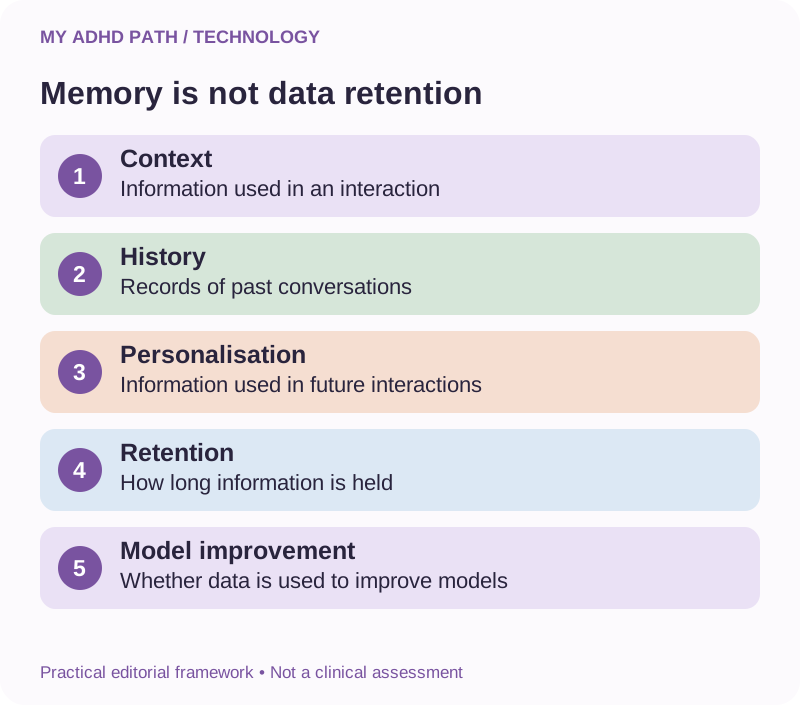
Memory is not the same as data retention
AI services may offer functionality that allows information from previous interactions to influence future conversations.
This can be especially useful for people who find repeatedly explaining their circumstances demanding.
However, several different technical and privacy concepts are involved.
Conversation context
Information the system can use during a particular interaction.
Conversation history
Records of previous conversations that may be accessible through your account.
Personalisation and memory
Features that allow selected information, preferences or summaries to influence future interactions.
Data retention
The period and circumstances under which the provider retains information within its systems.
Model improvement
Whether and how information may be used to develop or improve AI models.
These concepts are not interchangeable.
Turning off personalisation does not necessarily prevent conversation retention.
Removing a conversation from your visible history does not necessarily mean every copy disappears immediately.
Opting out of model improvement does not necessarily prevent the provider from processing information for other legitimate service-related purposes.
Check the current documentation for your particular service.
Can I ask an AI assistant to forget something?
Some AI services allow users to manage information used for personalisation.
You may be able to ask the assistant not to mention particular information again or change what it takes into account.
However, a conversational instruction to forget something is not necessarily equivalent to deleting all records containing that information.
Depending on the service, managing stored information may require additional actions involving conversation history, memory controls, uploaded files, connected applications or account-level privacy settings.
Never rely solely on a conversational assurance when you require actual data deletion.
Consult the provider's current deletion and retention procedures.
If you have a legal or professional obligation concerning information removal, obtain appropriate advice.
What about private or temporary conversations?
Some AI services offer temporary conversations, private modes or other controls that change how interactions are handled.
Such features may limit conversation history, personalisation or use for model improvement.
However, the precise arrangements vary.
A temporary conversation may still be retained for limited service-related, safety or legal purposes.
A private browsing window may prevent some information being stored in your browser without changing how the AI provider processes information.
A mode described as private does not necessarily mean that information never leaves your device.
Read the actual description of the feature rather than relying exclusively on its name.
Free, paid and business AI accounts
Paying for an AI subscription does not automatically mean you receive stronger privacy protections.
Some business or enterprise products may offer different data processing arrangements, administrative controls or contractual safeguards.
These can be important when handling confidential information.
However, features vary considerably between providers and products.
Before selecting an account for sensitive or professional use, consider:
- Whether your information may be used for model improvement.
- What retention controls are available.
- Whether suitable data processing agreements are provided.
- Who can access account information.
- What administrative controls are available.
- Whether connected services introduce additional data processing.
- What happens when information is deleted.
Do not assume that a consumer subscription becomes suitable for confidential business information simply because it is a premium product.
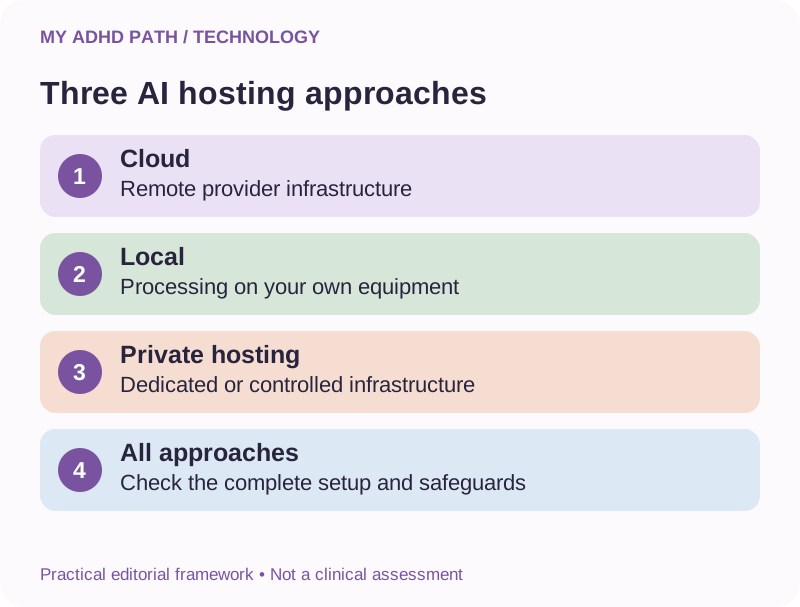
Cloud-based AI versus locally hosted AI
Most people encounter AI through a website or application that connects to a remote service.
Another approach involves running an AI model on your own computer or a system that you control.
These arrangements offer different benefits and responsibilities.
Cloud-based AI
Typically provides access to remotely operated infrastructure and managed services.
It may offer powerful models, convenient access across devices and integrated functionality.
Information handling depends on the provider and its arrangements.
Locally hosted AI
May allow an AI model to process information on your own equipment.
This can provide greater control over some aspects of data handling.
However, the actual privacy characteristics depend on the complete technical setup.
Applications may still use external services.
Web searches or connected tools may transmit information elsewhere.
Logs and files may be retained locally.
Remote access may introduce security risks.
Software updates, authentication, device protection and backups also require attention.
Running an AI model locally does not automatically make the entire system private, secure or compliant with data protection law.
Privately hosted AI
Some organisations use infrastructure dedicated to their own requirements or operated under specific contractual arrangements.
This may offer an alternative between ordinary consumer services and managing everything on a local device.
Again, the important considerations involve the actual architecture, permissions, contractual safeguards and security arrangements.
There is no universal best option for every person.
Having a conversation that feels private is not the same as using a service that provides particular privacy protections.
Health information and AI
Many people use AI to help organise questions for healthcare appointments, understand unfamiliar terminology or prepare an overview of their experiences.
These can be useful educational and organisational activities.
However, health information is particularly sensitive.
Under UK data protection law, health information is generally treated as special category personal data when processed within the scope of the legislation.
A diagnostic report may contain substantially more than a description of your ADHD-related difficulties.
It could include personal identifiers, family history, other health information and confidential professional observations.
Before uploading such a document, consider whether the full report is needed.
You may instead be able to ask for help using a general description or a carefully selected extract that you are permitted to share.
Remember that removing direct identifiers does not necessarily make health information anonymous.
AI-generated explanations should not replace healthcare professionals, particularly when considering diagnosis, medication, treatment changes or urgent symptoms.
Our appointment preparation resources can help you organise questions and observations without requiring you to share an entire medical history with an external AI service.
Children's information deserves particular care
Parents may find AI useful when planning family routines, preparing for school meetings or understanding educational processes.
However, children have their own privacy interests.
School reports, educational assessments, medical records and other documents may include highly personal information.
They may also contain details about teachers, other children or family members.
When seeking general assistance, consider describing the difficulty without revealing identifying information.
For example:
Try this
"My secondary-school-aged child finds it difficult to organise homework and remember equipment. Help me prepare some practical questions for a discussion with their school's SENCO." This provides sufficient context without sharing the child's identity or complete educational records.
Also consider the long-term implications of sharing information about a child who may not be able to fully understand or express their preferences concerning that information.
When children use AI independently, check relevant age requirements, parental controls, school policies and supervision arrangements.
Do not assume that a general-purpose AI assistant is automatically suitable for every child or educational activity.
Using AI for financial organisation
AI can help explain financial terminology, structure budgeting information or identify questions to ask a professional.
It does not usually need your banking credentials, payment card details or complete account statements to provide general educational assistance.
Consider using rounded figures or fictional examples where appropriate.
Instead of sharing an identifiable bank statement, you might describe:
- Monthly income of approximately £2,400.
- Regular housing costs of £1,000.
- Other essential expenses of £700.
- A particular difficulty remembering annual subscription renewals.
The example can provide enough information to explore general organisation strategies.
Never share banking PINs, one-time security codes, passwords or payment authentication information.
AI-generated financial information may be incomplete or incorrect.
Consult appropriate official information or regulated professional advice before making consequential financial decisions.
Confidential information at work
Workplace information may be subject to legal, contractual and organisational confidentiality requirements.
Examples include:
- Customer records.
- Employee information.
- Commercially sensitive documents.
- Unpublished business plans.
- Internal communications.
- Source code.
- Access credentials.
- Financial reports.
- Legal documents.
Before using an AI assistant with workplace material, establish whether the organisation permits that use and which products or accounts are authorised.
A tool that you use safely for personal planning may not be appropriate for confidential business information.
If you need AI as a disability-related workplace adjustment, discuss suitable arrangements rather than automatically connecting your personal account to employer systems.
Approval of assistive technology through Access to Work does not remove existing information security or confidentiality responsibilities.
Data protection for self-employed people and business owners
If you run a business, AI may help reduce substantial administrative demands.
However, when you process information about customers, employees or other individuals, relevant data protection obligations may apply.
Depending on your circumstances, considerations may include:
- The lawful basis for processing.
- Additional requirements for special category data.
- Transparency about how information is used.
- Data minimisation.
- Appropriate contracts with service providers.
- Information security.
- International data transfers.
- Retention and deletion arrangements.
- Handling individuals' data protection rights.
- Assessing risks before introducing new systems.
Not every requirement applies identically to every situation.
The Information Commissioner's Office provides guidance for organisations and businesses.
If you are introducing AI into a business process involving sensitive information, seek appropriate advice where necessary.
The objective is to benefit from technology without creating avoidable risks for the people whose information you handle.
Understanding connected applications
Some AI assistants can connect to email, calendars, document storage and other digital services.
These connections can make support much more useful.
An assistant may be able to retrieve relevant information without requiring you to locate every document manually.
Depending on the service and permissions, it might also be able to prepare changes or carry out authorised actions.
However, connecting an application introduces another set of considerations.
- What information can the assistant access?
- Can it access information beyond the current task?
- Can it create, edit or delete records?
- Can it send messages or publish content?
- Can it perform actions without further approval?
- How can you remove access?
Review the permissions carefully.
Where possible, grant only the access necessary for the intended activity.
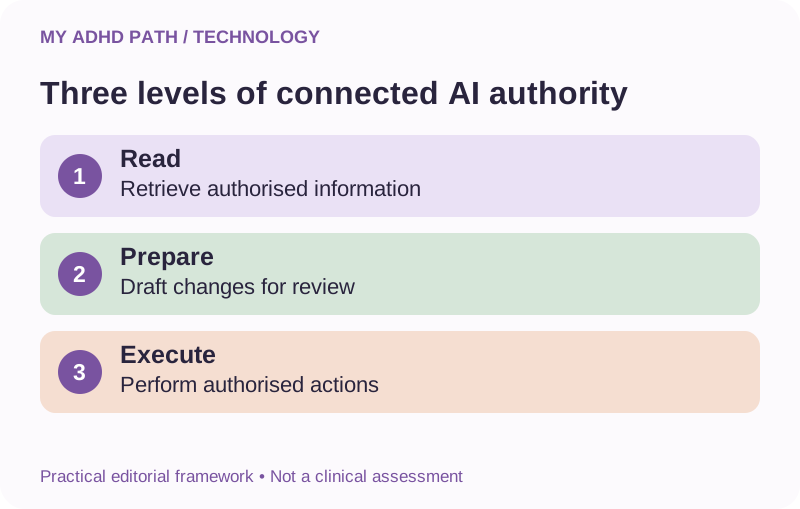
Three levels of connected AI authority
Level one: Read and retrieve
The assistant may access authorised information and help you understand or organise it.
Level two: Prepare for review
The assistant may draft messages, prepare proposed changes or organise information for your approval.
Level three: Execute authorised actions
The assistant may carry out particular actions through connected services, subject to available functionality and permissions.
Each level introduces different considerations.
For example, summarising your appointment information is different from cancelling an appointment.
Drafting an email is different from sending it.
Identifying an unwanted subscription is different from making changes to your financial arrangements.
Use appropriate approval requirements for consequential activities.
Do not confuse an AI assistant's description of an action with verified confirmation that the action has actually occurred.
What is prompt injection?
Prompt injection is a type of attack in which instructions are placed within information that an AI system processes, potentially influencing the system to behave in an unintended way.
Imagine asking an AI assistant to summarise an email.
The email contains text instructing the assistant to ignore its original task and transfer information elsewhere.
A sufficiently vulnerable system might incorrectly treat that text as an instruction rather than as part of the email being examined.
Similar risks may arise from websites, documents and other external content.
This is particularly relevant when AI assistants have access to connected applications or the ability to perform actions.
Users do not need to become cybersecurity specialists to understand the basic principle.
Information retrieved from an external source should not automatically be treated as an authorised instruction.
Limit permissions, retain appropriate human approval and use reputable services with suitable security controls.
These precautions reduce certain risks but cannot guarantee protection against every attack.
AI can sound confident when it is wrong
A particularly important aspect of safe AI use involves the reliability of its answers.
AI assistants can produce statements that appear detailed, authoritative and well researched despite being incorrect.
They may invent references.
Misinterpret legislation.
Confuse dates.
Provide outdated instructions.
Describe software features that do not exist.
Omit an important exception.
Make a calculation error.
This is often described as an AI hallucination, although the term covers a variety of error types.
The problem is not always easy to recognise.
A polished answer may appear more trustworthy than a hesitant but accurate explanation.
For important matters, assess the underlying evidence rather than relying on how confidently the answer is presented.
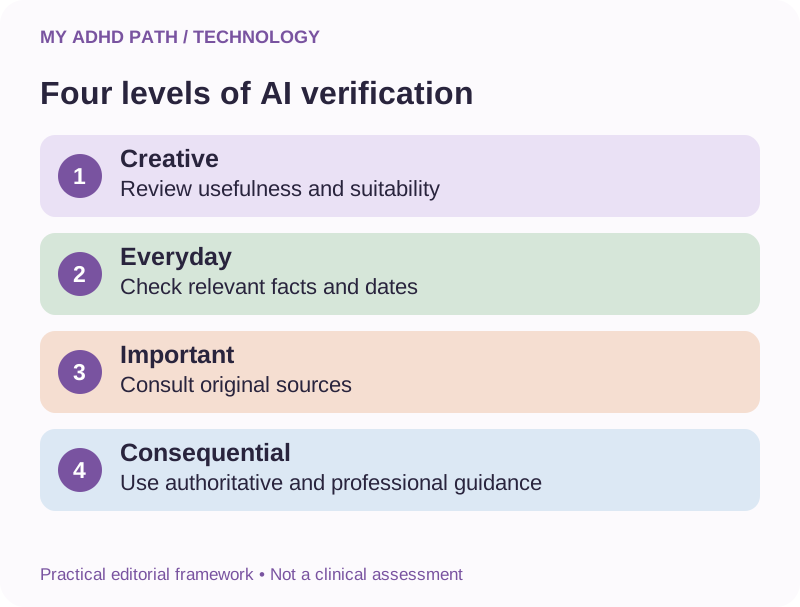
Four levels of verification
The following practical My ADHD Path framework can help you decide how carefully to verify an AI-generated answer.
Level one: Creative and low-consequence activities
Examples include brainstorming, fictional writing and generating general ideas.
Check whether the output is useful and appropriate.
Level two: Everyday practical information
Examples include creating a shopping list, organising household responsibilities or preparing a general schedule.
Check relevant facts, dates and arrangements.
Level three: Important personal or professional information
Examples include workplace communications, formal applications, business research and educational guidance.
Check original sources, relevant details and any applicable requirements.
Level four: Safety-critical or consequential decisions
Examples include medical treatment, legal deadlines, significant financial commitments and business-critical security changes.
Use authoritative information and appropriate professional advice.
Do not rely on AI alone.
These categories are intended as a practical guide, not a formal risk assessment.
The appropriate level of verification depends on the actual consequences of an error.
Check the answers that carry consequences.
How to check an AI answer without creating another overwhelming task
You do not need to investigate every sentence in an answer used for ordinary brainstorming.
Instead, identify the parts that matter most.
Is there a date or deadline?
A financial figure?
A medical statement?
A legal requirement?
A suggested technical change?
A quotation or reference?
A claim that an organisation provides a particular service?
Check the relevant original source.
For example, if an assistant explains Access to Work eligibility, read the current GOV.UK guidance.
If it describes medication instructions, consult your prescriber, pharmacist or appropriate official information.
If it gives instructions for changing an important security setting, consult current product documentation.
Ask the assistant to distinguish established facts from assumptions and suggestions.
But remember that asking AI to check its own answer is not equivalent to independent verification.
Emotional support and the boundaries of AI
Some people find it helpful to write down their thoughts and explore them in conversation with an AI assistant.
The availability and lack of immediate social pressure may make this appealing.
An assistant may help organise thoughts, identify questions and prepare for conversations with other people.
However, AI does not possess independent knowledge of your complete circumstances.
It may validate an interpretation that is inaccurate.
It may misunderstand the implications of a situation.
It may fail to recognise significant health or safety concerns.
It is not a substitute for qualified mental health support or trusted human relationships.
If you find yourself making important emotional, relationship or health decisions exclusively through an AI assistant, consider involving appropriate human support.
Technology can be a useful part of your support system without becoming your only source of perspective.
AI, scams and impersonation
Artificial intelligence can also be used to create convincing fraudulent messages, images, websites and audio recordings.
A fraudulent email may contain accurate personal details and professionally written language.
A message might appear to come from a family member requesting urgent financial assistance.
An artificial voice could imitate somebody you recognise.
A website may resemble a trusted organisation.
Traditional warning signs, such as poor spelling, may be less reliable than they once were.
Focus instead on the nature of the request.
- Is somebody creating unreasonable urgency?
- Are they asking for money, information or account access?
- Are they requesting secrecy?
- Are they encouraging you to bypass normal verification procedures?
- Are they asking you to share a security code?
Where appropriate, verify the request independently using contact information you already trust.
Do not rely exclusively on the contact details contained in a suspicious message.
Creating a family verification routine
Families may wish to establish a simple process for responding to unexpected financial or urgent requests.
For example:
If somebody sends an unusual message requesting money, call them using their established telephone number.
If they cannot be reached, contact another trusted family member where appropriate.
Consider agreeing an additional verification method for exceptional circumstances.
A family code word may be useful as one component of verification, provided it is kept private and not treated as an infallible security measure.
The important benefit is having an agreed process before an unexpected situation occurs.
This may reduce the pressure of trying to decide what to do while worried or distracted.
For genuine emergencies, contact the appropriate emergency services.
Passwords without the remembering burden
Managing numerous accounts can create considerable mental workload.
Using the same memorable password for several services may feel convenient, but it can increase the consequences of a security breach.
If one service is compromised, the same credentials may be tried elsewhere.
A reputable password manager can help generate and store different passwords.
Passkeys may provide another suitable authentication method where supported.
Multi-factor authentication can add an additional layer of protection.
Consider protecting your primary email account particularly carefully because it may be used to reset passwords for numerous other services.
Maintain appropriate account recovery arrangements.
Store recovery codes securely.
Never paste those codes into an AI conversation.
A well-designed security system should reduce the need to remember numerous individual passwords rather than creating an additional memory challenge.
Understanding multi-factor authentication
Multi-factor authentication, sometimes called MFA or two-step verification, requires additional evidence of identity when accessing an account.
Depending on the service, this may involve an authenticator application, security key, device confirmation or another supported method.
This can reduce certain risks associated with compromised passwords.
However, additional authentication methods differ in their security characteristics.
Some, including certain passkey and security-key arrangements, may offer stronger protection against phishing.
Do not approve unexpected authentication requests.
Never provide one-time security codes to somebody who contacts you unexpectedly.
If you receive an unfamiliar login request, review the account through its official application or website.
Backups: Protecting the information you rely on
If digital tools support your everyday functioning, losing access to important information may be particularly disruptive.
Imagine relying on an AI conversation to remember the current status of several ongoing projects.
If the conversation becomes unavailable, you may need to reconstruct considerable information.
Important records should not exist exclusively within an AI chat.
Maintain suitable copies of essential documents, decisions, agreements and project summaries.
Use appropriate backup arrangements.
Remember that synchronisation and backup are not necessarily the same thing.
If a synchronised file is mistakenly deleted, the deletion may also be reflected across connected devices.
Backup systems should be configured appropriately and periodically checked.
For important information, consider whether you can restore it when needed.
Fifteen ways to make everyday AI use safer
1. Begin with non-sensitive information
Explore new tools using general questions or fictional examples.
2. Share only what is necessary
Provide relevant context without automatically including every identifying detail.
3. Keep credentials separate
Never paste passwords, recovery codes, security tokens or private keys into ordinary conversations.
4. Review your account privacy settings
Understand the controls offered by the particular service you use.
5. Distinguish memory from retention
Check how history, personalisation, deletion and model improvement are handled.
6. Protect your main email account
Use appropriate authentication and secure recovery arrangements.
7. Use unique credentials
Consider a reputable password manager or supported passkeys.
8. Review connected applications
Remove unnecessary connections and restrict permissions where possible.
9. Keep consequential actions under review
Check important messages, purchases, account changes and other commitments before execution.
10. Verify important information
Use appropriate original sources and professional advice when necessary.
11. Respect other people's privacy
Consider whether you have permission to share information involving colleagues, customers or family members.
12. Separate personal and professional information
Use suitable accounts and working arrangements where necessary.
13. Keep software updated
Apply appropriate security updates to devices, applications and locally hosted systems.
14. Maintain independent records
Save important information in suitable, reliable and appropriately protected locations.
15. Create a manageable security routine
Establish occasional checks that fit your life rather than relying on continual vigilance.
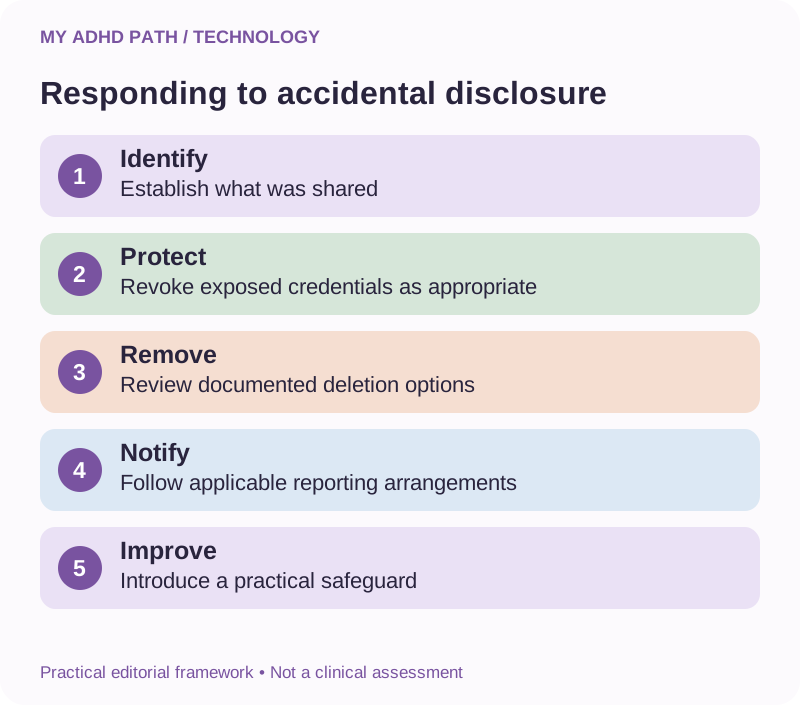
What to do if you've shared something you shouldn't have
Discovering that you've accidentally shared sensitive information can be worrying.
The appropriate response depends on the information, service and circumstances.
Step one: Identify what was shared
Establish which information was provided and where it was sent.
Avoid unnecessarily copying or redistributing it while investigating.
Step two: Consider immediate protective action
If you shared a password, API key or other access credential, change or revoke it as appropriate.
Check relevant account activity and access permissions.
If financial information is involved, contact your bank through an official channel where appropriate.
Step three: Review available removal options
Use the provider's documented conversation, file, memory or account deletion procedures as relevant.
Deleting visible information does not necessarily remove every retained copy.
Step four: Notify appropriate people
If the information concerns an employer, client or another individual, follow applicable reporting arrangements.
Organisations may need to assess whether a personal data breach has occurred.
Where UK GDPR breach-reporting duties apply, certain breaches must be reported to the ICO within 72 hours of awareness where feasible.
Not every incident is reportable, and different duties may apply depending on the circumstances.
Seek appropriate advice promptly.
Step five: Reduce the likelihood of recurrence
Identify what led to the information being shared and introduce a practical safeguard.
For example, maintain an appropriate template for redacting documents or use placeholders when requesting technical assistance.
The objective is to respond effectively and improve future arrangements.
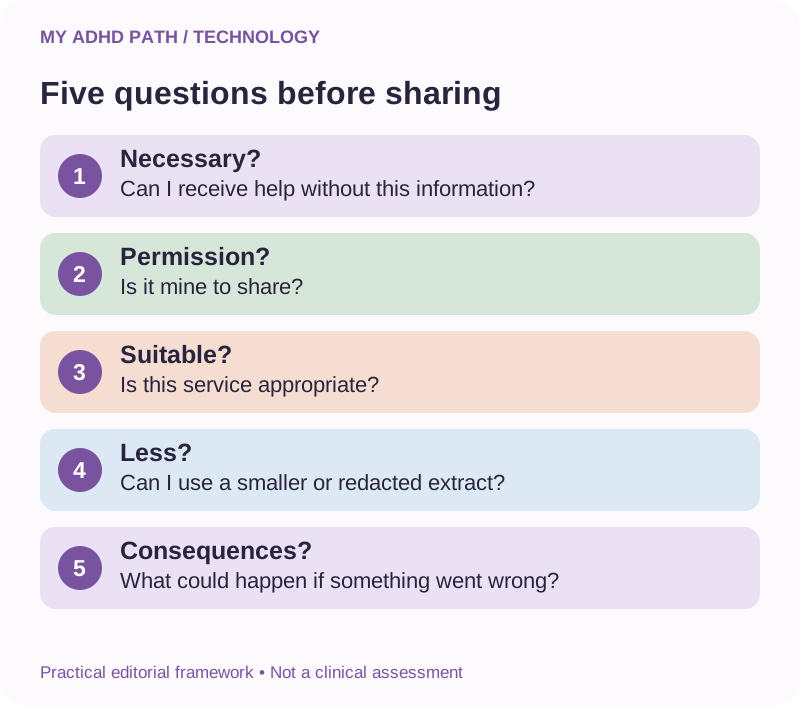
A five-question safety check before sharing information
Before uploading a document or describing a sensitive situation, ask:
Is it necessary?
Can I receive useful help without sharing this information?
Is it mine to share?
Does the information involve another person's privacy or an organisational confidentiality requirement?
Is this service appropriate?
Do the product, account and settings provide suitable arrangements?
Can I share less?
Could I remove identifying details, use an extract or provide a general description?
What could happen if something went wrong?
Consider the consequences of inappropriate access, disclosure, retention or inaccurate output.
For routine, non-sensitive interactions, you may not need to work through every question explicitly.
The framework is intended to make more consequential sharing decisions easier.
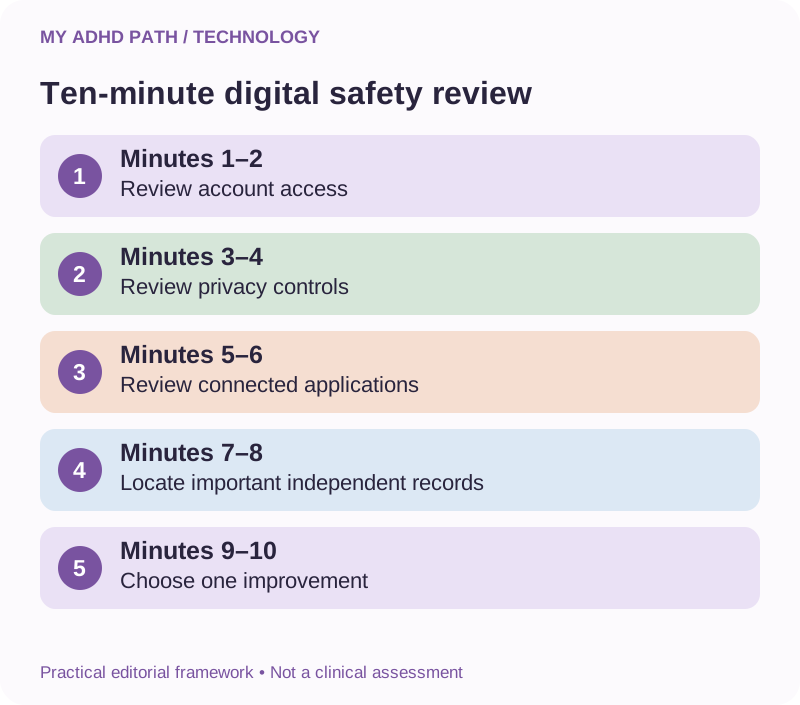
A ten-minute digital safety review
Start with one AI account or digital service.
Minutes one and two: Account access
Review whether appropriate authentication is enabled.
Minutes three and four: Privacy settings
Identify the available history, memory and model improvement controls.
Minutes five and six: Connections
Review which applications or services have access to your account.
Minutes seven and eight: Important records
Identify whether essential information is stored exclusively within the service.
Minutes nine and ten: Choose one improvement
Make one appropriate change or record a specific next action.
Some settings and security arrangements require more careful investigation.
You do not need to complete every digital security task within ten minutes.
Three fictional everyday experiences
Illustrative scenario
Rachel, 43 - Using AI as an executive functioning assistant
Rachel uses an AI assistant to organise responsibilities and establish priorities. She creates a personal support profile describing the way she prefers to receive information. She avoids including unnecessary identifying details and maintains important commitments in her own calendar and project records. She reviews the account's privacy controls and checks important information independently. The assistant remains useful without becoming the only location for her working information.
Illustrative scenario
Marcus, 38 - Managing confidential business information
Marcus wants to use AI to reduce administrative demands in his consultancy. He begins with general templates and fictional examples. Before introducing real customer information, he reviews his legal obligations, relevant contracts and the available business service arrangements. He limits connected permissions and keeps important communications subject to review. His objective is to preserve the benefits of AI while respecting the information entrusted to his business.
Illustrative scenario
Amira, 19 - Using AI at university
Amira uses AI to explain difficult concepts, organise revision and generate practice questions. She checks her university's academic integrity requirements and avoids uploading restricted course materials without permission. She verifies important references and uses AI-generated explanations as a starting point rather than assuming they are always correct. She keeps her essential notes and coursework in suitable independent storage.
These examples are fictional illustrations rather than evidence of particular clinical or security outcomes.
What the research says
Research into executive functioning and cognitive offloading provides relevant background for understanding why external information systems may be useful. However, evidence for the long-term benefits and risks of general-purpose AI as an ADHD-specific support tool remains developing. The practical security considerations discussed in this article also draw on established principles of information security, data protection and responsible AI use. Organisations including the Information Commissioner's Office, National Cyber Security Centre and National Institute of Standards and Technology provide guidance relevant to different aspects of digital and AI risk. These resources do not establish that a particular consumer AI service is completely safe or suitable for every individual. The frameworks in this article are practical editorial tools rather than clinically validated interventions, formal legal advice or comprehensive security assessments.
Create your personal AI information-sharing plan
You may find it useful to establish some simple boundaries in advance.
The support I use AI for:
What everyday or professional activities does it help me manage?
Information I am comfortable sharing:
What kinds of general context are useful?
Information I want to protect:
Which details require greater consideration?
Information I will not share in ordinary conversations:
What credentials, secrets or confidential documents need separate arrangements?
My connected applications:
Which services have access to relevant information?
My approval requirements:
Which activities must remain subject to human review?
My independent records:
Where do I keep important decisions, commitments and files?
My verification habits:
Which types of AI-generated information will I independently check?
My review date:
When will I review whether these arrangements remain appropriate?
The plan can be as simple or detailed as your circumstances require.
Do not include actual passwords or security credentials in it.
Downloadable resource
My ADHD AI and Digital Safety Toolkit
Use technology confidently while protecting your information. A comprehensive guide covering information sharing, privacy settings, account security, connected applications, verification habits and practical safety routines.
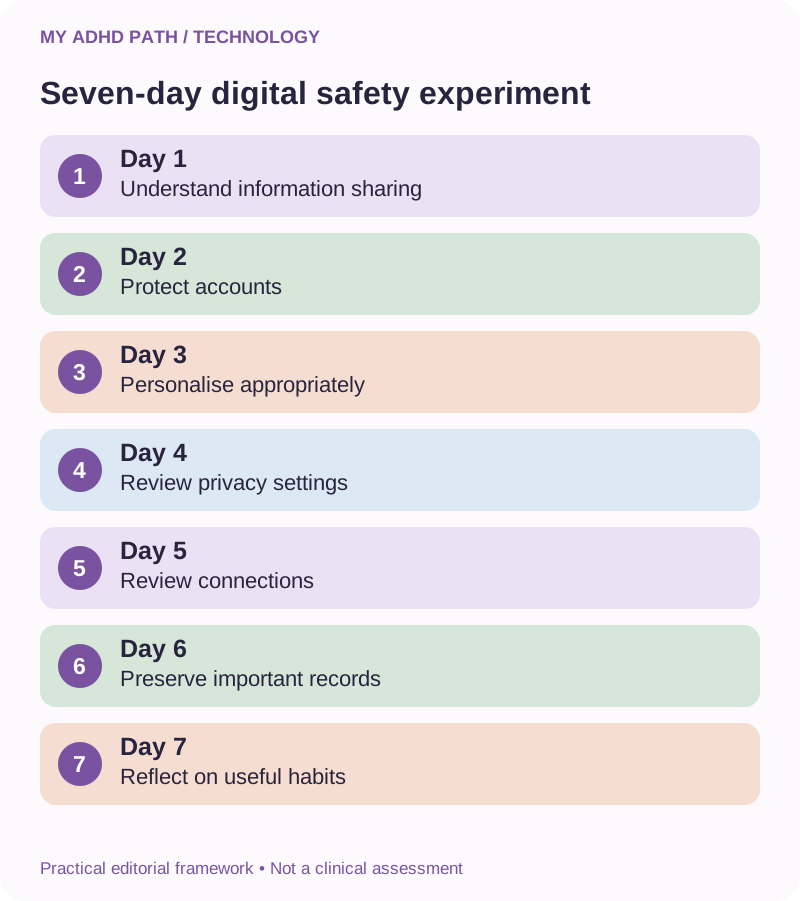
Download PDFYour seven-day digital safety experiment
Day one: Understand
Identify which AI services you currently use and the information you typically provide.
Day two: Protect
Review the security settings of your primary email and AI accounts.
Day three: Personalise appropriately
Create a support profile that describes your needs without including unnecessary identifying details.
Day four: Review privacy
Explore the available history, memory, retention and model improvement controls.
Day five: Review connections
Identify whether any connected services have access that is no longer necessary.
Day six: Preserve
Save one important project summary or other essential record in an appropriate independent location.
Day seven: Reflect
Consider which habits make safer technology use easier to maintain.
You do not need to complete every possible security improvement in one week.
Aim to establish practices you can realistically continue.
Fifteen AI prompts for safer technology use
AI prompt
1. Help me share less
"Help me identify what information is necessary to explain this situation without including unnecessary identifying details."
AI prompt
2. Create a fictional version
"Help me construct a fictional example that preserves the practical difficulty but removes real identities."
AI prompt
3. Build my AI support profile
"Create a personal support profile based on my working preferences without including medical records or unnecessary personal information."
AI prompt
4. Identify confidential information
"Give me a checklist of potentially confidential information to look for before sharing a workplace document."
AI prompt
5. Understand privacy settings
"Explain which types of privacy and security controls I should look for in an AI service. Distinguish verified features from general possibilities."
AI prompt
6. Understand permissions
"Explain the differences between read access, editing access and permission to perform actions."
AI prompt
7. Identify unnecessary access
"Help me evaluate whether each proposed application permission is necessary for my intended activity."
AI prompt
8. Prepare a privacy comparison
"Create a comparison framework for AI providers covering retention, model improvement, access controls and contractual safeguards."
AI prompt
9. Separate facts from assumptions
"Identify which parts of your answer are verified facts, assumptions, illustrations or recommendations."
AI prompt
10. Identify the important checks
"Which claims in this answer could have significant consequences if they were incorrect?"
AI prompt
11. Find authoritative information
"Identify the types of official sources I should consult to verify this information. Do not invent references."
AI prompt
12. Prepare safer technical instructions
"Use placeholders for all passwords, API keys and other access credentials in your instructions."
AI prompt
13. Establish human approval requirements
"Help me identify which actions in this proposed workflow should require explicit human review."
AI prompt
14. Create a simple security review
"Help me design a manageable monthly review of account security, application permissions and important backups."
AI prompt
15. Prepare an incident response checklist
"Create a general checklist for responding to an accidental disclosure of sensitive information without asking me to provide the sensitive information itself."
These prompts support preparation and awareness.
They do not establish that an AI service is secure or that particular information has been anonymised, deleted or protected.
Frequently asked questions
Is AI safe for people with ADHD?
AI may provide useful practical assistance, but safety depends on the service, information shared, permissions, intended activity and verification practices.
Is it safe to tell AI that I have ADHD?
The decision is personal. ADHD-related information can be sensitive. You may be able to describe your support preferences without disclosing a diagnosis.
Does ChatGPT save everything I tell it?
Information handling depends on the product, settings and provider policies. Check current documentation rather than assuming all conversations are treated identically.
Does paying for AI make it private?
No. A paid account does not automatically provide particular privacy protections. Review the actual product and contractual arrangements.
Is turning off AI memory enough to protect my privacy?
No. Memory, history, retention, model improvement and connected applications are separate considerations.
Does deleting a conversation permanently remove it?
Deletion and retention arrangements vary. Removing a conversation from your visible history is not necessarily equivalent to immediate deletion of every retained copy.
Are temporary AI conversations completely private?
Not necessarily. Check the provider's description of the feature, including any applicable retention arrangements.
Can I upload my ADHD assessment report?
Consider whether the full report is necessary, the sensitivity of the contents and the suitability of the service. A general description or appropriate extract may be sufficient.
Can I upload my child's school report?
Exercise particular care. School reports may contain sensitive information about children and other individuals. Consider permissions, necessity and suitable privacy arrangements.
Can I use AI for confidential workplace documents?
Only where the use is authorised and appropriate legal, contractual and security arrangements are in place.
Is AI running on my own computer safer?
It may provide greater control over certain information, but the overall security and privacy depend on the entire configuration.
Can connected AI assistants access my emails?
Some services can access emails when relevant connections and permissions have been authorised. Review the available controls and restrictions.
Is it safe to let AI send emails for me?
This depends on the context, permissions and consequences. Important communications should remain subject to appropriate human approval.
Can AI give me incorrect information?
Yes. AI can produce convincing but incorrect or fabricated information, including citations and technical instructions.
Can I use AI to make medical decisions?
Do not rely on general-purpose AI for medical decisions. Consult appropriate healthcare professionals and authoritative information.
Can AI help me protect my accounts?
It may provide general educational guidance and help organise security tasks. Verify consequential instructions against current official documentation.
What should I do if I accidentally share a password?
Change or revoke the credential promptly as appropriate, review relevant account activity and follow the provider's documented security procedures.
Can AI help me identify scams?
It may help identify warning signs, but it cannot reliably determine that every message is genuine or fraudulent. Independently verify consequential requests.
Do I need to stop using AI to protect my privacy?
Not necessarily. A proportionate approach involving appropriate services, limited sharing, suitable permissions and verification can help reduce avoidable risks.
Is it possible to use AI without sharing personal information?
Yes, for many activities. General questions, fictional scenarios and non-identifying preferences can provide useful starting points.
Technology should give you more control, not less
Throughout our ADHD and Technology resource collection, we've explored ways to reduce mental workload, organise information, improve continuity and make everyday responsibilities more manageable.
Technology can provide meaningful opportunities to do these things differently.
But you should remain in control of the information you share, the systems you connect and the decisions you make.
You don't need to become a cybersecurity expert.
You don't need to read every technical document before asking an AI assistant a general question.
And you don't need to abandon technology because no system can offer absolute guarantees.
Start by understanding which information matters.
Share only what is appropriate.
Protect the accounts you rely on.
Check the answers that carry consequences.
Keep important decisions and information within reliable arrangements.
The objective is not to become afraid of technology.
It is to develop a relationship with technology that supports your independence, respects your privacy and gives you more room to think.
Technology should give you more control, not less.
Official information and further reading
UK data protection
Information Commissioner's Office:
ICO guidance on artificial intelligence, personal information and data protection.
Cybersecurity
National Cyber Security Centre:
Guidance on passwords, multi-factor authentication, phishing, account security and safe technology use.
UK fraud prevention
Take Five to Stop Fraud:
https://www.takefive-stopfraud.org.uk/
Financial guidance
MoneyHelper:
https://www.moneyhelper.org.uk/
Health information
NHS:
Workplace support
GOV.UK Access to Work:
https://www.gov.uk/access-to-work
AI risk management
National Institute of Standards and Technology - AI Risk Management Framework:
https://www.nist.gov/itl/ai-risk-management-framework
OWASP GenAI Security Project:
Provider-specific privacy information
OpenAI: https://openai.com/policies/privacy-policy/
Anthropic: https://privacy.anthropic.com/
Google: https://privacy.google.com/
Microsoft: https://privacy.microsoft.com/
Check documentation for your specific product and account type.
Sources and further reading
- Diamond, A. (2013). Executive Functions. Annual Review of Psychology. https://doi.org/10.1146/annurev-psych-113011-143750
- Willcutt, E. G. et al. (2005). Validity of the Executive Function Theory of Attention-Deficit/Hyperactivity Disorder: A Meta-Analytic Review. Biological Psychiatry. https://doi.org/10.1016/j.biopsych.2005.02.006
- Risko, E. F. and Gilbert, S. J. (2016). Cognitive Offloading. Trends in Cognitive Sciences. https://doi.org/10.1016/j.tics.2016.07.002
- Faraone, S. V. et al. (2021). The World Federation of ADHD International Consensus Statement. https://doi.org/10.1016/j.neubiorev.2021.01.022
- NIST (2023). Artificial Intelligence Risk Management Framework. https://doi.org/10.6028/NIST.AI.100-1
- NIST (2024). Artificial Intelligence Risk Management Framework: Generative Artificial Intelligence Profile. https://doi.org/10.6028/NIST.AI.600-1
This article provides general educational information and practical suggestions. It does not constitute medical, legal, financial, data protection or cybersecurity advice. No technology or security practice guarantees complete protection. AI services, privacy settings and data processing arrangements may change. Consult current provider documentation, authoritative guidance and appropriately qualified professionals where necessary.