

Imagine having somewhere to put everything that's going on in your head — and something that helps you make sense of it all.
It's Monday morning.
You have three projects on the go, an appointment you need to rearrange, several emails you haven't responded to and something important you were supposed to remember from Friday.
You also have a rather ambitious idea for a new project that occurred to you over the weekend.
Your brain is already working.
In fact, it's working remarkably hard.
But you're finding it difficult to establish what you should actually be doing.
You could write a list.
You could organise your calendar.
You could open your planner.
But all of those activities require you to make decisions about the information you're already struggling to manage.
What if you could simply explain everything that was going on?
Without organising it first.
Without worrying about whether it made sense.
Without needing to know what the answer was.
And then have an assistant help you work through it?
For some people with ADHD, this is one of the most interesting possibilities artificial intelligence offers.
Not as a replacement for thinking. But as support for thinking.
At a glance
- AI assistants can provide practical support for some activities involving executive functioning.
- Conversational AI allows you to work with unstructured information.
- AI can help organise responsibilities, identify dependencies and break down complicated tasks.
- You can ask an assistant to present information one step at a time.
- Personalised instructions can make AI interactions more accessible.
- AI memory varies between services and should not be treated as infallible.
- AI can make mistakes, misunderstand priorities and produce inaccurate information.
- General-purpose AI is not an established ADHD treatment or replacement for professional support.
What is an executive functioning assistant?
Executive functioning describes a collection of cognitive processes involved in managing goal-directed behaviour.
These include working memory, inhibitory control and cognitive flexibility, alongside related activities such as planning and organisation.
For people with ADHD, difficulties in these areas can affect many aspects of everyday life.
An executive functioning assistant is a practical way of describing something that helps support these processes externally.
It might be a human assistant, an ADHD coach, a trusted colleague, an organisational system or a collection of digital tools.
Artificial intelligence introduces another potential form of support.
An AI assistant may help you:
- Organise information you haven't had time to process.
- Work through complicated decisions.
- Turn a broad responsibility into specific actions.
- Reconstruct where you left off.
- Identify missing information.
- Establish realistic priorities.
- Explore alternative approaches.
- Reduce repetitive planning.
Good to know
The term AI executive functioning assistant is used here to describe a practical application of technology. It is not a recognised clinical treatment category.
Why AI is different from a traditional task management app
Traditional organisational tools generally require you to provide information in a structured format.
A calendar expects you to know the date and time.
A task manager expects you to know what the task is.
A spreadsheet expects you to know which information belongs in each column.
These tools can be extremely useful once the information has been organised.
But what happens when organising the information is the difficult part?
Conversational AI allows you to begin with information that isn't organised.
You can explain a situation naturally.
You can change your mind halfway through.
You can add details as you remember them.
You can ask for clarification when the response isn't useful.
The assistant can help transform your initial thoughts into something more manageable.
| Traditional organisational tool | Conversational AI assistant |
|---|---|
| Records an identified task | Helps clarify what the task involves |
| Stores deadlines | Helps compare deadlines and dependencies |
| Displays a list of responsibilities | Helps explore which responsibilities require attention |
| Holds project notes | Helps summarise and organise project information |
| Records decisions | Helps you work through possible decisions |
| Provides reminders | Helps establish what to do when a reminder appears |
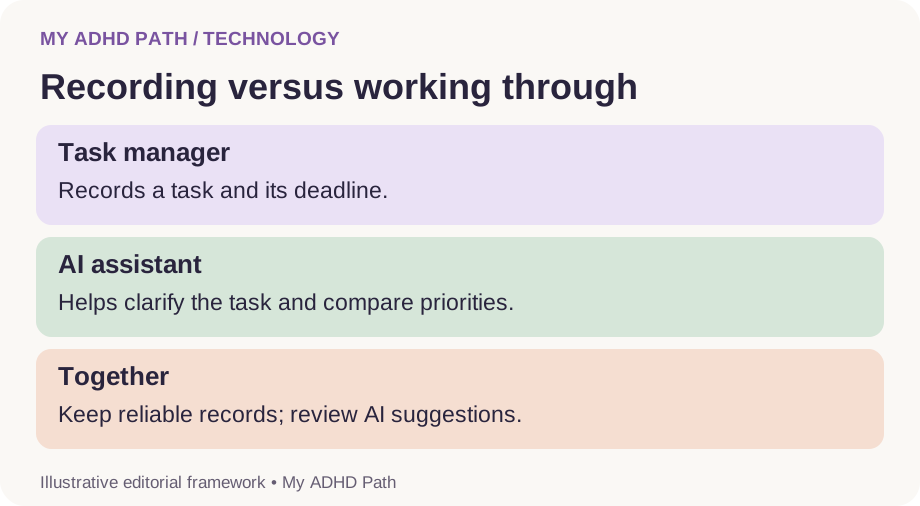
Some traditional applications now include AI features, and the capabilities of different tools overlap.
The important distinction is the type of support being provided, rather than the category of software.
When the problem isn't remembering
Imagine you're working on a website.
You need to finish the homepage, review the privacy policy, check whether a form is working, prepare several images and respond to feedback.
You remember all of these responsibilities.
In fact, you're thinking about them almost continuously.
Remembering isn't the main difficulty.
You need to establish:
- Which activity is most important.
- Which activities depend on other activities.
- Whether you have all the information you need.
- What is realistic within the time available.
- Where you should begin.
An AI assistant could help you work through these questions.
It might identify that reviewing the form is important before launching the website.
It might suggest preparing the images while waiting for feedback.
It might help separate activities that can be completed today from those requiring further information.
But it should not invent facts about your project or assume that it knows your priorities better than you do.
The most useful support comes from combining your knowledge of the situation with the assistant's ability to organise and work with information.
The six functions of an AI executive functioning assistant
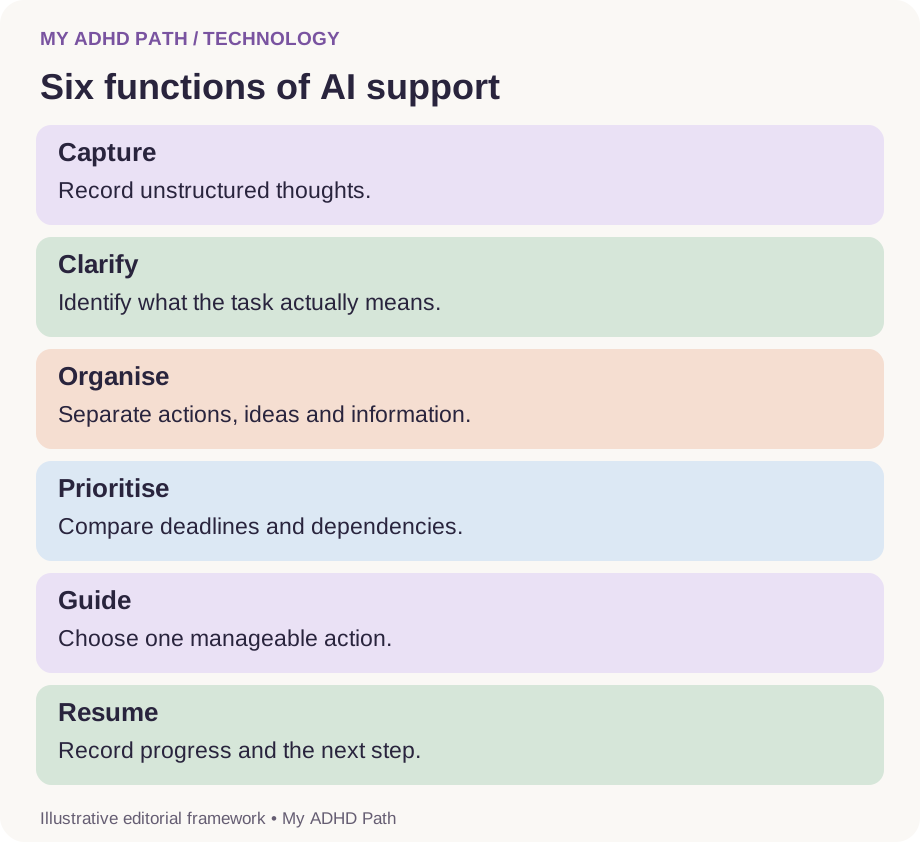
The following six functions form a practical My ADHD Path framework.
They are not a validated psychological model or assessment.
1. Capture
Provide somewhere to record information without needing to organise it first.
This could include thoughts, reminders, ideas, concerns and unfinished activities.
2. Clarify
Help identify what the information means and what is actually being asked of you.
For example, what does "sort out the accounts" involve?
3. Organise
Group related information and distinguish actions from ideas, reference material and activities that are waiting for somebody else.
4. Prioritise
Help compare responsibilities using relevant deadlines, consequences, dependencies and your own preferences.
5. Guide
Help identify a manageable starting action and work through the activity in suitable stages.
6. Resume
Record progress, summarise decisions and create a clear starting point for returning to unfinished work.
You might use all six functions during a complicated project.
Or you might only need one of them to help you get started with a particular activity.
The ability to think out loud
One of the most useful features of conversational AI is that you can begin before you know exactly what you want to say.
You can type or dictate a collection of thoughts that wouldn't make much sense in a conventional planning document.
For example:
"I need to finish something for a client but I'm waiting for them to send me information, and I've got an appointment later, and I really need to sort out my invoices. I've also remembered that the website needs updating, but I don't know which thing to start with."
You haven't provided a particularly elegant brief.
You haven't organised your thoughts into categories.
You've simply explained what's happening.
An assistant could respond by identifying the different responsibilities and asking which ones have deadlines.
It could then help establish a realistic sequence.
This reduces the requirement to organise your thoughts before asking for organisational support.
For some people, that distinction is particularly valuable.
From mental overload to a manageable day
Imagine you have three available working hours.
You tell your AI assistant:
"I need to send an invoice today, finish a proposal by Thursday, book an appointment, renew my insurance by Friday and review a website. I'm waiting for the client to send me the final website content. I also have a new business idea I want to explore."
Rather than simply returning six tasks, an assistant might help organise them as follows.
| Responsibility | Suggested treatment |
|---|---|
| Send invoice | Time-sensitive activity for today |
| Prepare proposal | Begin today, with a defined next step |
| Book appointment | Short administrative activity |
| Renew insurance | Schedule appropriate review time before Friday |
| Review website | Establish which parts can progress while waiting for content |
| New business idea | Capture for a future session |
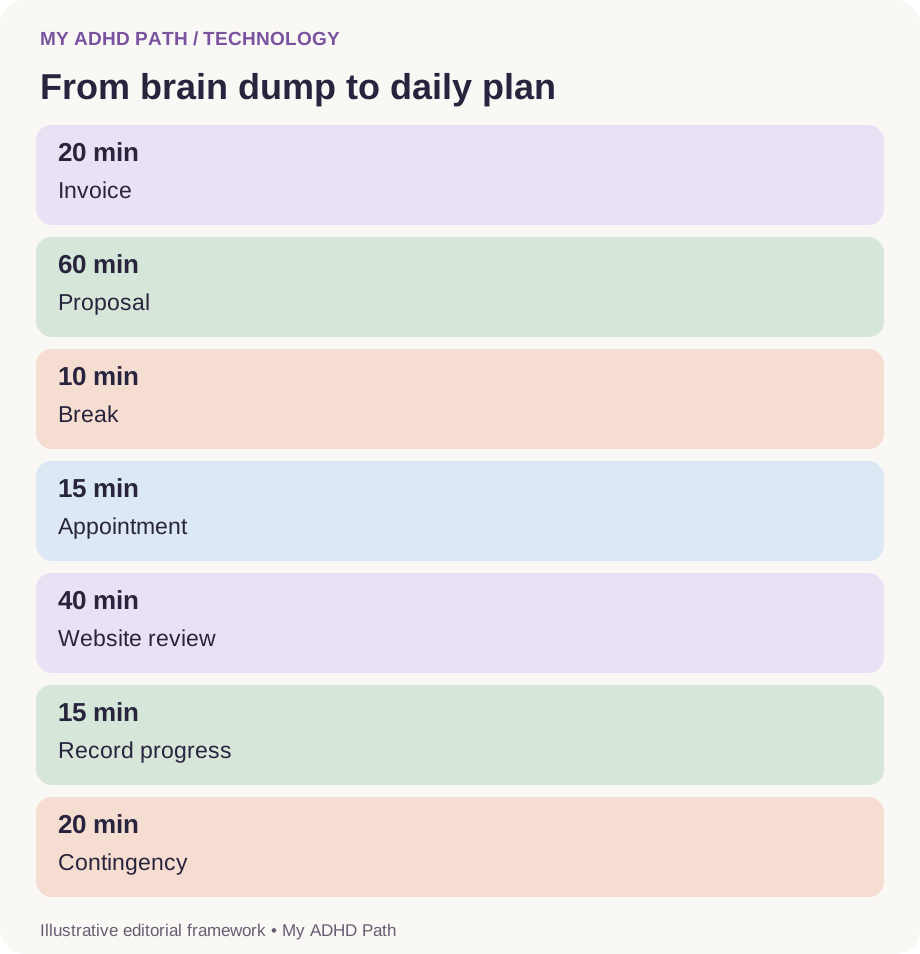
A possible plan might be:
First 20 minutes: Prepare and send the invoice after checking the details.
Next 60 minutes: Work on one clearly defined section of the proposal.
Next 10 minutes: Take a break.
Next 15 minutes: Arrange the appointment if the relevant service is available.
Next 40 minutes: Review the parts of the website that do not depend on missing content.
Final 15 minutes: Record progress, capture the business idea and schedule the insurance review.
This leaves twenty minutes of the original three hours available for unexpected demands.
Good to know
The example is fictional. Real activities may take considerably longer than estimated, and the appropriate priorities depend on the actual consequences and commitments involved. The purpose is to illustrate how AI can help transform a collection of responsibilities into a proposed sequence of actions.
Fifteen ways to use AI as executive functioning support
1. Create a morning planning conversation
Rather than beginning the day by reviewing several lists, explain what is happening.
Include appointments, deadlines, unfinished work and anything affecting your available time.
Ask your assistant to help establish what matters today.
Try this
A useful morning conversation should leave you with a manageable starting point rather than another enormous plan.
2. Ask for one next action
Sometimes receiving fifteen sensible suggestions is exactly what you don't need.
Ask the assistant to identify one practical next action.
Once you've completed it, you can decide what to do next.
This may be particularly useful when an activity feels too complicated to begin.
3. Turn vague responsibilities into specific activities
"Sort out the house."
"Finish the project."
"Deal with the paperwork."
These descriptions identify responsibilities without defining what needs to happen.
An AI assistant can help clarify the activities involved.
Ask it to distinguish between the overall outcome and the first practical step.
4. Identify dependencies
Some activities cannot progress until something else happens.
You might be waiting for a payment, a document, a response or a decision.
Ask an assistant to help distinguish between activities you can complete independently and those that require further information.
This may help you avoid repeatedly attempting to progress work that is temporarily blocked.
5. Support your working memory
When completing a complicated activity, provide the assistant with relevant instructions and ask it to help keep track of the stages.
For example, you could ask it to maintain a short record of what has been completed and what remains outstanding.
Check that the record is accurate.
Don't rely on the assistant as the only place where essential information exists.
6. Make complicated instructions more accessible
You might receive an email containing numerous requests.
Rather than repeatedly reading it to establish what you need to do, ask an authorised AI tool to identify the requested actions, deadlines and unanswered questions.
Compare the summary with the original.
Good to know
AI can omit important details, particularly when instructions are complicated or ambiguous.
7. Break down overwhelming activities
Ask the assistant to divide a responsibility into manageable stages.
If the result still feels too demanding, ask it to simplify the first stage.
The objective is not necessarily to create a complete project plan.
Sometimes it's simply to establish a starting action.
8. Work through decisions
AI may help compare options using criteria you provide.
You might ask it to identify the practical differences between several available choices.
You can also ask what additional information would genuinely change the decision.
For financial, legal, medical and other high-consequence decisions, seek appropriate expertise and verify important information independently.
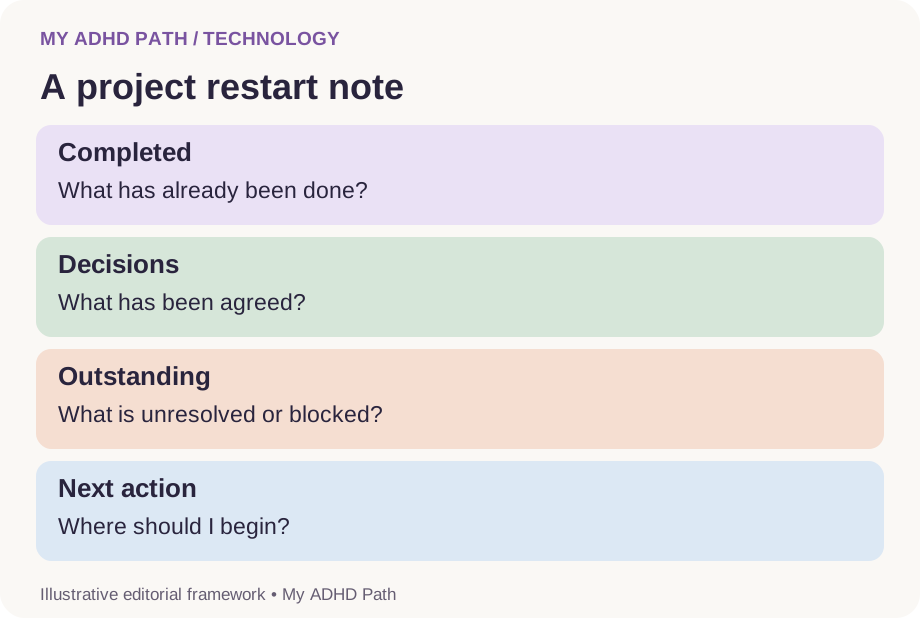
9. Create a project restart note
Before leaving a project, ask the assistant to help create a short summary.
Include what has been completed, what decisions have been made, what remains unresolved and the next action.
Save the summary in an appropriate project location.
You now have a starting point for returning later without reconstructing the entire situation.
10. Help manage transitions
Moving between activities can require considerable mental adjustment.
Ask an assistant to help close one activity before preparing for another.
For example, it could help you record what needs to be remembered from your current project and identify the materials needed for an upcoming meeting.
11. Prepare for conversations
You may know what you want to discuss but struggle to organise your thoughts before a meeting or appointment.
An assistant can help create a short agenda, identify important questions or organise information into a useful sequence.
Do not share confidential information with services that are unsuitable or unauthorised for that purpose.
12. Translate information into an appropriate format
Some people find lengthy paragraphs difficult to work through.
Others find extensive lists overwhelming.
Ask for information in a format that suits the particular activity.
That might be a short explanation, a comparison table, a worked example or one instruction at a time.
There is no need to accept the assistant's default presentation style.
13. Create reusable processes
If you regularly complete similar activities, ask the assistant to help create a template.
Examples include preparing invoices, planning appointments, reviewing projects and completing a weekly household plan.
A reusable structure can reduce the amount of planning required each time.
14. Review your commitments realistically
When you've agreed to several responsibilities, an assistant can help you consider whether they fit within the time available.
Provide realistic durations, existing appointments and appropriate breaks.
Treat the resulting schedule as an estimate rather than a guarantee.
15. Create a supportive end-of-day review
At the end of the day, review what happened.
You might identify completed activities, outstanding responsibilities and anything that needs a new deadline.
Ask the assistant to help create a short starting point for tomorrow.
The review should support continuity rather than become another exercise in judging your productivity.
Using AI to help you prioritise
Prioritisation can involve more than remembering which deadlines are closest.
An apparently urgent request may be less consequential than another responsibility that has received very little attention.
A short activity may allow a much larger project to progress.
An important commitment may require more time than is currently available.
To help an AI assistant suggest useful priorities, provide information about:
- Actual deadlines.
- Consequences of delaying activities.
- Dependencies.
- Existing commitments.
- Available time.
- Your capacity and wellbeing.
- The outcomes that matter to you.
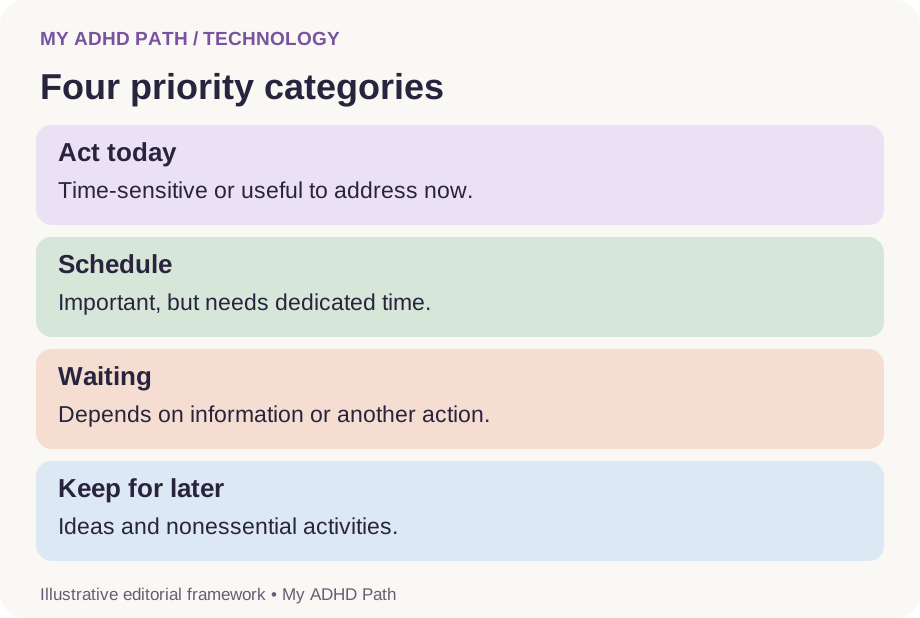
You can ask the assistant to organise responsibilities into four practical categories.
Act today
Activities that require attention today or create a significant benefit from being addressed now.
Schedule
Important activities that need dedicated time but do not necessarily need to begin immediately.
Waiting
Activities that depend on information or action from another person.
Keep for later
Ideas, possibilities and nonessential activities that you don't want to lose but do not need to pursue currently.
These categories are flexible.
They should support your judgement rather than override it.
Having lots of ideas without pursuing all of them immediately
Some people with ADHD describe regularly generating new ideas while working on existing activities.
A new project may feel particularly interesting.
A different approach might appear increasingly attractive.
Suddenly, the activity you originally intended to complete is competing with several new possibilities.
An AI assistant can help preserve those ideas without requiring you to act on them immediately.
You might create a separate ideas file containing:
- A description of the idea.
- Why it interests you.
- Relevant information.
- Questions to investigate.
- A future review date, if appropriate.
You are not abandoning the idea.
You are giving it somewhere to exist without allowing it to automatically replace your current priorities.
Ask your assistant to help distinguish between recording a new possibility and committing to another project.
Teaching your AI assistant how to support you
AI assistants often begin with a general-purpose response style.
They may provide detailed explanations, lengthy lists or numerous suggestions.
These responses can be informative without being particularly accessible to you.
You can explain how you want the assistant to work.
For example:
"I find large lists overwhelming. When I'm trying to complete something, please help me identify the next practical action. If information is missing, ask me one question at a time."
Or:
"Help me distinguish between ideas, responsibilities and tasks that are waiting for somebody else. Don't automatically turn everything I mention into an action."
Or:
"When I ask for help prioritising, consider my actual deadlines, available time and the consequences of delay. Explain your reasoning briefly and tell me if you're making assumptions."
These instructions can be included in individual conversations.
Some services also provide persistent personalisation settings, project instructions or memory features.
Availability and behaviour vary between platforms.
You do not need to disclose an ADHD diagnosis to request an accessible response style.
A reusable personal AI support profile
My AI executive functioning support instructions
- Help identify the actual difficulty before suggesting solutions.
- Ask one question at a time when clarification is needed.
- Distinguish tasks, ideas, information and unresolved decisions.
- Help me identify priorities using deadlines, consequences and dependencies.
- Avoid presenting enormous lists when I need a starting point.
- Break complicated activities into manageable stages.
- Be specific about the first action.
- Tell me when you are making assumptions.
- Challenge unrealistic schedules and competing commitments constructively.
- Help me preserve important decisions and project progress.
- Do not invent information or claim to have completed activities you cannot perform.
- Do not send, purchase, delete or change anything important without appropriate authorisation.
- Remember that rest, wellbeing and personal responsibilities are legitimate priorities.
- Encourage professional advice where appropriate.
These instructions are a starting point.
Adapt them as you discover what makes the interaction more helpful.
Downloadable resource
My AI Executive Functioning Support Profile
A printable worksheet to help you identify your practical support needs, communication preferences and information boundaries for working with an AI assistant.
Download PDFCan AI remember everything for you?
No.
This is an important limitation.
Different AI services handle conversation history, project information and persistent memory in different ways.
Some may remember selected preferences across conversations.
Some may have access to documents or connected applications.
Others may only be able to work with the information available in the current conversation.
Even when memory is available, an assistant can misunderstand information, overlook details or rely on outdated information.
Long conversations may also exceed the amount of information the system can process directly at one time.
Good to know
Treat AI memory as a potentially useful support feature rather than an infallible record.
For important responsibilities, maintain reliable external records.
These might include:
- Your actual calendar.
- Your accounting records.
- Official correspondence.
- Project documents.
- A central task management system.
- Secure backups.
Use AI to help work with these records where appropriate.
Do not assume that mentioning a commitment in a conversation guarantees that it has been recorded or that you will receive a reminder.
Conversations, projects and a personal knowledge base
If you regularly use AI for several different areas of your life, it may be useful to establish separate spaces for them.
For example:
Work: Project plans, meeting preparation and business administration.
Home: Household responsibilities, meal planning and practical activities.
Education: Learning plans, explanations and study support.
Personal planning: Everyday organisation and future ideas.
Some AI platforms offer dedicated project spaces or other ways to group conversations and files.
These may help preserve relevant context.
However, creating too many separate spaces can introduce another organisational challenge.
Start with the fewest categories that genuinely help.
There is no requirement to build a sophisticated personal knowledge system before using AI effectively.
AI assistants that can take action
Some AI assistants can connect to external services or use tools to perform certain activities.
Depending on the service and permissions, this might include creating calendar events, retrieving documents, preparing emails or carrying out other administrative tasks.
This is different from an assistant simply suggesting what you should do.
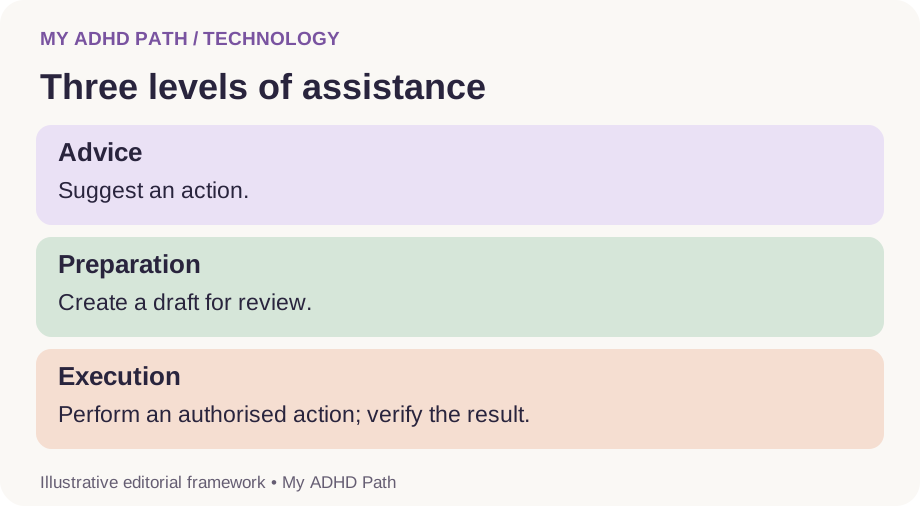
There is an important distinction between three levels of involvement.
Advice
The assistant suggests an action.
You decide whether to complete it yourself.
Preparation
The assistant prepares something for you to review.
For example, an email draft or proposed calendar entry.
Execution
The assistant performs an authorised action through an available tool or connected service.
Greater autonomy introduces greater responsibility for permissions, oversight and error management.
For consequential activities, review what the assistant intends to do before allowing it to proceed.
Check the result afterwards.
A drafted email is not a sent email.
A proposed appointment is not a confirmed booking.
A suggested reminder is not necessarily an active reminder.
Always establish what has actually happened.
When AI produces too much information
You ask for help sorting out your morning.
The response contains a twelve-step planning method, four alternative approaches, an inspirational quotation and a recommendation to download another application.
Somewhere in the middle is the information you actually needed.
This is where you can change how the assistant responds.
Try saying:
"Give me one thing to do first."
Or:
"Don't explain the whole system. Help me complete the current step."
Or:
"I need help making this decision, not a list of every possible option."
You are allowed to interrupt an approach that isn't useful.
You are allowed to request a shorter answer.
And you certainly don't need an entire productivity philosophy every time you ask for help remembering to send an invoice.
Using AI for everyday accountability
Some people find it helpful to have regular check-ins with an assistant.
A check-in might involve reviewing progress, discussing an obstacle or deciding whether a plan needs changing.
For example:
"I've completed the first task, but the second one is taking longer than expected. Help me adjust the rest of the day."
This can make a plan more responsive to what is actually happening.
However, AI should not become a source of pressure or a replacement for your own judgement.
There is no requirement to report every activity.
You do not need an assistant's approval to take a break, change priorities or finish working.
A useful check-in supports your autonomy.
It should not create a new obligation.
Three levels of support for different days
Your needs may change considerably depending on your circumstances.
A planning conversation that works well on one day might feel overwhelming on another.
Higher-capacity days
You might want detailed project planning, research, strategic discussions and a broader overview of your responsibilities.
Everyday-capacity days
You might benefit from a short plan, several realistic priorities and occasional clarification.
Lower-capacity days
You might need help identifying essential responsibilities, deferring nonessential demands and establishing one manageable action.
Sometimes rest or support from another person will be more appropriate than completing an activity.
You can explain your current circumstances to the assistant and ask it to adapt.
Good to know
These are informal descriptions of changing capacity, not medical categories.
Using AI when you're self-employed
Running a business can involve taking responsibility for an extraordinary number of different things.
You might be responsible for creative work, administration, marketing, customer communication, financial records and future development.
The difficulty is not necessarily understanding how to do these activities individually.
It can be maintaining an overview while repeatedly switching between them.
An AI assistant may help by:
- Creating project summaries.
- Identifying dependencies between activities.
- Preparing administrative drafts.
- Maintaining structured planning documents.
- Helping compare competing priorities.
- Recording procedures.
- Breaking down larger development projects.
- Preparing questions for professional advisers.
For business owners, the privacy and accuracy of these activities are particularly important.
Client information, financial documents, intellectual property and confidential business plans should only be processed using suitable systems.
The business owner remains responsible for decisions and legal obligations.
Using AI at work
Employees may find AI helpful for activities such as organising meeting notes, preparing agendas, clarifying instructions and drafting written communications.
Workplace rules matter.
Before using an AI service with work-related information, establish whether the organisation permits it.
Some employers provide approved AI or assistive technology.
Others restrict external services because of confidentiality, intellectual property or data protection requirements.
If you are exploring workplace adjustments, explain the practical barrier you experience and the kind of support that could help.
In Great Britain, Access to Work may provide support for eligible individuals, depending on assessed needs and programme requirements.
Approval of a particular AI subscription or service is not automatic.
Our dedicated Access to Work and assistive technology guides explore this area further.
Using AI at home
Everyday life contains numerous responsibilities that do not appear particularly complicated until they all arrive at once.
School forms.
Appointments.
Meal planning.
Household maintenance.
Insurance renewals.
Birthdays.
Family commitments.
An AI assistant might help organise these responsibilities, prepare a proposed weekly plan or identify which activities require immediate attention.
For shared responsibilities, discuss the plan with the people involved.
Technology should support fair communication and collaboration rather than introduce monitoring or control.
Avoid sharing unnecessary personal information about children, relatives or other household members.
Three fictional examples
Illustrative scenario
Rachel, 43 - Too many active projects
Rachel runs a small creative business. She has several projects underway and frequently has ideas for new ones. Her difficulty is maintaining continuity between activities. She begins using an assistant to create a short project summary whenever she finishes a work session. Each summary includes decisions, completed work, outstanding questions and the next action. Her project documents remain the authoritative record. The assistant helps her prepare and interpret them.
Illustrative scenario
Marcus, 37 - Administrative tasks that accumulate
Marcus finds paperwork particularly demanding. He has several outstanding letters, forms and appointments. Opening his task list doesn't help him establish where to start. He describes the responsibilities to an AI assistant and works through them individually. Together, they identify deadlines, missing information and practical starting actions. Marcus verifies important details against the original correspondence and seeks qualified advice when necessary.
Illustrative scenario
Amira, 26 - Planning around changing capacity
Amira often creates plans that assume she will have the same amount of energy and available time every day. When circumstances change, she struggles to adapt the original plan. She begins asking her assistant to help review commitments based on the time and capacity she actually has. Some activities are rescheduled. Others are simplified. The assistant helps her explore alternatives rather than treating the original schedule as something she must complete regardless of circumstances.
These examples are fictional illustrations, not evidence of clinical outcomes.
Where AI cannot replace human support
An AI assistant may offer useful practical assistance.
But it does not possess the full understanding, professional accountability or human relationship that another person can provide.
It cannot reliably evaluate every important aspect of your circumstances.
It may misunderstand emotional information.
It may provide unsuitable suggestions.
It may present inaccurate conclusions with considerable confidence.
Qualified ADHD professionals, occupational therapists, clinicians, educational specialists and workplace advisers may provide forms of support that general-purpose AI cannot replicate.
AI can also be a poor substitute for meaningful human connection.
Use it as one possible component of a wider support system.
If you are experiencing significant distress, changes in your mental health or persistent difficulties managing everyday life, seek appropriate human and professional support.
Privacy, safety and professional boundaries
An effective assistant may need relevant context.
But sharing more information does not always produce better support.
Before uploading information or connecting services, consider what access is genuinely necessary.
Avoid sharing passwords, authentication codes, confidential customer records and unnecessary identifying information.
Check the provider's privacy settings, data retention arrangements and available controls.
Be particularly careful when asking AI to interpret health information or make recommendations concerning medication, finances or legal responsibilities.
It can help organise questions and explain general information, but important conclusions require verification and appropriate expertise.
If the assistant has permission to carry out external actions, restrict that access to what is necessary.
Maintain human oversight of consequential decisions.
What the research says
Research has identified executive functioning differences in many people with ADHD, although the nature and extent of these difficulties vary between individuals. Research into cognitive offloading provides a useful theoretical foundation for understanding why external tools can support cognitive activities. Clinical guidance also recognises the importance of individually appropriate environmental modifications and practical support. Generative AI introduces opportunities to implement external support in conversational and adaptive ways. However, the evidence supporting established executive functioning research should not be interpreted as proof that general-purpose AI improves ADHD symptoms. Direct evidence about AI as an everyday executive functioning assistant is still developing.
Important questions include:
- Which activities benefit most from AI assistance?
- Which individuals find it helpful?
- Does AI reduce overall cognitive effort or shift that effort elsewhere?
- What happens when inaccurate information is introduced?
- How can people retain autonomy and important skills?
- How sustainable is the support over time?
These are questions that deserve careful investigation.
My ADHD Path explores the practical potential of technology while recognising its limitations.
How to tell whether your assistant is genuinely helping
| Area | Question to consider |
|---|---|
| Starting | Is it easier to identify the first action? |
| Clarity | Do I understand what needs to happen? |
| Working memory | Am I having to reconstruct less information? |
| Prioritisation | Can I make more informed choices? |
| Mental workload | Does the process feel more manageable? |
| Accuracy | Is the information reliable after checking? |
| Independence | Am I retaining control over my decisions? |
| Maintenance | Does the assistant save more effort than it requires? |
The objective isn't to maximise the number of conversations you have with AI.
It's to establish whether the support makes a meaningful difference to everyday life.
Your seven-day AI assistant experiment
Day one: Choose one recurring difficulty
Identify a particular situation where you need additional practical support.
Day two: Explain your preferences
Tell the assistant how you want information presented and what you find difficult.
Day three: Try a brain dump
Provide a collection of unstructured thoughts and ask the assistant to help organise them.
Day four: Work through one activity
Ask for a specific starting action and progress through manageable stages.
Day five: Create a restart note
Record progress on an unfinished activity and establish how you will return to it.
Day six: Review your priorities
Discuss your remaining commitments and explore a realistic plan.
Day seven: Evaluate the experience
Consider what helped, what required unnecessary effort and what you would change.
Good to know
This is a personal exploration rather than a clinical assessment. You may find some uses of AI considerably more helpful than others.
Twelve reusable AI executive functioning prompts
AI prompt
My morning check-in
"Help me organise my day. Ask about my commitments, deadlines, available time and capacity. Once you have enough information, suggest a realistic starting point."
AI prompt
My brain dump
"I'm going to give you a collection of unorganised thoughts. Separate responsibilities, ideas, reference information and things I'm waiting for. Don't invent missing details."
AI prompt
My next action
"I'm finding this activity difficult to begin. Help me identify one specific action I can take now."
AI prompt
My priority review
"Help me compare these responsibilities using actual deadlines, consequences, dependencies and available time. Explain any assumptions."
AI prompt
My project restart
"Summarise the following project notes into completed work, decisions, outstanding questions and the next action."
AI prompt
My working memory support
"Help me work through these instructions one stage at a time. Keep track of what we've completed and check with me before moving to the next stage."
AI prompt
My decision support
"Help me compare these options against my requirements. Identify missing information and explain what might genuinely change the decision."
AI prompt
My realistic schedule
"Review this proposed schedule. Include existing commitments, realistic task durations, breaks and contingency time. Tell me if it appears overloaded."
AI prompt
My waiting list
"Identify activities that cannot progress until another person provides information or completes an action. Separate these from activities I can progress now."
AI prompt
My ideas collection
"Help me record this new idea without automatically turning it into another active project."
AI prompt
My lower-capacity day
"I have limited capacity today. Help me distinguish essential responsibilities from activities that can reasonably wait. Include rest and personal needs."
AI prompt
My end-of-day review
"Help me summarise what I've completed, what remains outstanding and where I should begin when I return. Keep the result short and factual."
Adapt these prompts to your circumstances and check important information independently.
Frequently asked questions
Can AI help with ADHD executive functioning?
AI may provide practical support for activities involving planning, organisation, working memory and task initiation. Direct clinical evidence for general-purpose AI in ADHD remains limited.
Is ChatGPT useful for people with ADHD?
Some people find ChatGPT and similar conversational assistants helpful for organising information and working through activities. Individual experiences vary.
Do I need a paid AI subscription?
Not necessarily. Free services may provide useful conversational support. More advanced features, usage allowances and integrations vary between providers and plans.
Can AI help me decide what to do first?
It may help compare responsibilities and identify a starting action based on relevant information. You should review the suggested priorities.
Can AI remember my projects?
Some services provide memory, conversation history or dedicated project features. These are not infallible substitutes for reliable project records.
Can AI remind me about appointments?
Some AI services can create scheduled reminders or interact with calendars. Others cannot. Confirm that an actual reminder or calendar event has been created.
Can AI help with task paralysis?
It may help clarify an activity and identify a manageable starting action. It cannot guarantee that difficulties initiating tasks will disappear.
Is AI an alternative to ADHD coaching?
No. AI may provide some structured practical assistance, but it cannot reproduce the full expertise, relationship and accountability of professional human support.
Can AI help with working memory?
It may reduce the need to retain certain information internally by helping organise and retrieve external records. This is different from demonstrating improvements in underlying working memory ability.
Can I become too reliant on AI?
It is possible to develop an unhelpful dependency on any tool. Maintain independent judgement, essential skills and reliable records, and consider whether the assistant is supporting your autonomy.
Is AI safe for confidential work?
That depends on the service, its security arrangements, your permissions and your organisation's policies. Use authorised systems for confidential information.
Can AI manage my entire business?
AI can support numerous administrative and planning activities, but business owners remain responsible for decisions, legal obligations, data protection and quality control.
Can an AI assistant make purchases or send emails?
Some assistants have these capabilities through tools or connected services. Check permissions and require appropriate approval for consequential actions.
Can AI help when I'm overwhelmed?
It may help organise information and reduce the number of decisions you are trying to manage. Significant distress or health concerns may require human or professional support.
Should I tell my assistant that I have ADHD?
You can if you choose, but it is not necessary. Explaining your practical support needs may be more useful than simply providing a diagnostic label.
Can AI be funded through Access to Work?
Potentially, depending on individual eligibility, assessed needs and applicable programme requirements. Funding for a particular product is not guaranteed.
What's the best way to start?
Choose one real responsibility that feels difficult to organise. Explain it naturally and ask the assistant to help identify the next practical action.
Support for the way you think
The real opportunity with AI isn't necessarily that it can answer questions quickly.
It's that it can provide somewhere to work through questions you haven't yet been able to organise.
Somewhere to explore an idea.
Somewhere to preserve decisions.
Somewhere to discuss competing responsibilities.
Somewhere to establish a starting point when everything seems to require your attention at once.
For some people with ADHD, that may be a particularly valuable form of practical support.
It doesn't mean giving up independent thinking.
It doesn't mean handing over control of your life.
And it doesn't mean expecting technology to solve everything.
It means recognising that thinking, remembering, planning and organising do not always have to happen entirely inside your own head.
There are other ways to support those processes.
And artificial intelligence may offer another way to create a little more room for the things you actually want to think about.
Sources and further reading
- Diamond, A. (2013). Executive functions. Annual Review of Psychology. https://doi.org/10.1146/annurev-psych-113011-143750
- Willcutt, E. G. et al. (2005). Validity of the executive function theory of attention-deficit/hyperactivity disorder: A meta-analytic review. Biological Psychiatry. https://doi.org/10.1016/j.biopsych.2005.02.006
- Risko, E. F. and Gilbert, S. J. (2016). Cognitive offloading. Trends in Cognitive Sciences. https://doi.org/10.1016/j.tics.2016.07.002
- Faraone, S. V. et al. (2021). The World Federation of ADHD International Consensus Statement: 208 evidence-based conclusions about the disorder. https://doi.org/10.1016/j.neubiorev.2021.01.022
- NICE - Attention deficit hyperactivity disorder: diagnosis and management (NG87). https://www.nice.org.uk/guidance/ng87
- GOV.UK - Access to Work. https://www.gov.uk/access-to-work
- National Institute of Standards and Technology - Artificial Intelligence Risk Management Framework. https://www.nist.gov/itl/ai-risk-management-framework
- Information Commissioner's Office - Artificial intelligence and data protection. https://ico.org.uk/
- National Cyber Security Centre. https://www.ncsc.gov.uk/
This article provides educational information and practical suggestions rather than medical or professional advice. General-purpose AI is not an established clinical ADHD treatment. The frameworks, scenarios and planning examples are illustrative and should be adapted to individual circumstances.