

The most useful technology for ADHD isn't necessarily the technology that helps you do more. It's the technology that gives you less to manage in the first place.
You have a calendar.
A task management app.
A notes app.
A digital planner.
Several alarms.
A collection of productivity tools you downloaded after somebody on social media described them as life-changing.
And somewhere amongst all that technology is a reminder to cancel the subscription to an app you stopped using three months ago.
Sound familiar?
For many people with ADHD, technology offers extraordinary opportunities to make everyday life more manageable.
But it can also become another collection of responsibilities.
Another system to maintain.
Another place to check.
Another source of notifications.
Another thing to remember.
What if we approached technology differently?
What if, instead of expecting ourselves to become better at managing increasingly complicated systems, we created systems that required less management from us?
What if technology could support the processes we find particularly demanding, rather than simply remind us that we need to do them?
This is where technology becomes particularly interesting for people with ADHD.
At a glance
- Technology can provide external support for executive functioning.
- Different digital tools support different cognitive and practical needs.
- Reminders alone may not address difficulties with planning, prioritisation or task initiation.
- AI can help organise information, break down activities and clarify next steps.
- Automation can reduce repetitive administrative responsibilities.
- Too much technology can introduce additional distractions and mental workload.
- The right combination of tools depends on your individual circumstances.
- Technology can complement appropriate ADHD support and treatment rather than replace it.
Why technology and ADHD have such an interesting relationship
ADHD can affect several processes involved in managing everyday life.
These include directing attention, maintaining information, organising activities, regulating impulses and managing goals.
These processes form part of what psychologists describe as executive functioning.
Imagine that you need to arrange a healthcare appointment.
The activity might involve:
- Finding the correct contact details.
- Checking availability.
- Comparing appointment times with existing commitments.
- Booking the appointment.
- Recording the details.
- Remembering to attend.
- Preparing relevant information beforehand.
- Arranging transport.
- Following up afterwards.
What appears to be one responsibility actually consists of numerous smaller activities.
For some people with ADHD, it is the management of these individual stages that makes everyday responsibilities particularly demanding.
Technology cannot remove every challenge.
However, it can help with some of the processes involved.
It can hold information, provide structure, surface reminders, organise complex material and, in certain circumstances, perform repetitive activities.
That creates opportunities to reduce the amount of information and administration that an individual needs to manage independently.
Supporting executive functioning rather than simply productivity
Productivity is generally concerned with accomplishing activities or producing outcomes.
Executive functioning concerns some of the cognitive processes involved in directing and managing behaviour.
The distinction matters.
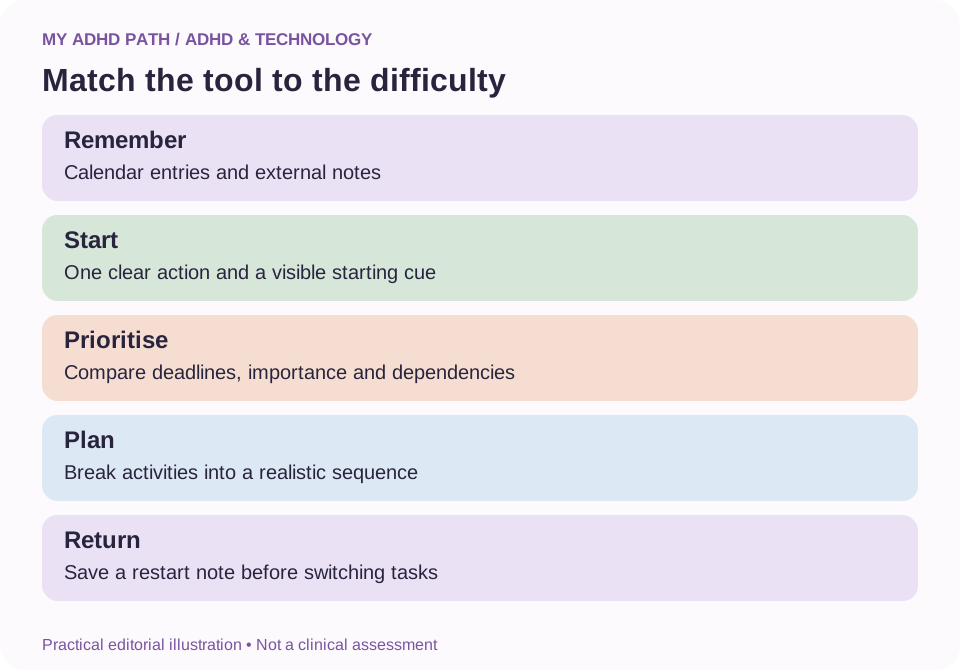
A conventional productivity app might help you record twenty things you need to do.
But what if your difficulty involves deciding which one to begin?
What if you cannot establish how long the activities will take?
What if you know exactly what you need to do but find it difficult to initiate the first step?
A list may be useful, but it may not address the particular barrier you're experiencing.
Technology becomes more useful when we identify the process that requires support.
| Area of difficulty | Potential technology support |
|---|---|
| Working memory | External notes, written instructions and digital information storage |
| Task initiation | Specific starting actions, guided workflows and timed sessions |
| Prioritisation | Structured comparison of tasks and deadlines |
| Planning | Calendars, scheduling tools and activity breakdowns |
| Time awareness | Visual timers, time tracking and reminders |
| Organisation | Searchable information and consistent storage systems |
| Task switching | Restart notes, session summaries and transition reminders |
| Follow-through | Recurring reminders, checklists and agreed automations |
These are examples rather than guaranteed solutions.
The most appropriate tool depends on the task, the individual and the circumstances.
Why another to-do list might not solve the problem
Imagine opening your task management app on a Monday morning.
There are thirty-seven outstanding tasks.
Some require five minutes.
Others require several hours.
Several are connected to larger projects.
A few are overdue.
Some cannot begin until somebody else provides information.
Everything is visible.
And yet you still don't know what to do first.
The technology has successfully remembered your responsibilities.
But it has left the decisions about those responsibilities with you.
You still need to:
- Interpret what each task means.
- Establish its urgency.
- Determine its importance.
- Identify dependencies.
- Estimate the time required.
- Choose a realistic starting point.
This can place considerable demands on executive functioning.
A more supportive system might help you distinguish tasks that require immediate attention from those that can wait.
It might identify responsibilities that cannot progress yet.
It might help you break down an ambiguous activity into clearer actions.
Or it might simply present one manageable starting point.
There is a difference between storing information and helping somebody use that information effectively.
The distinction is not between traditional technology and modern technology.
It's between storing information and helping somebody use that information effectively.
The four levels of technological support
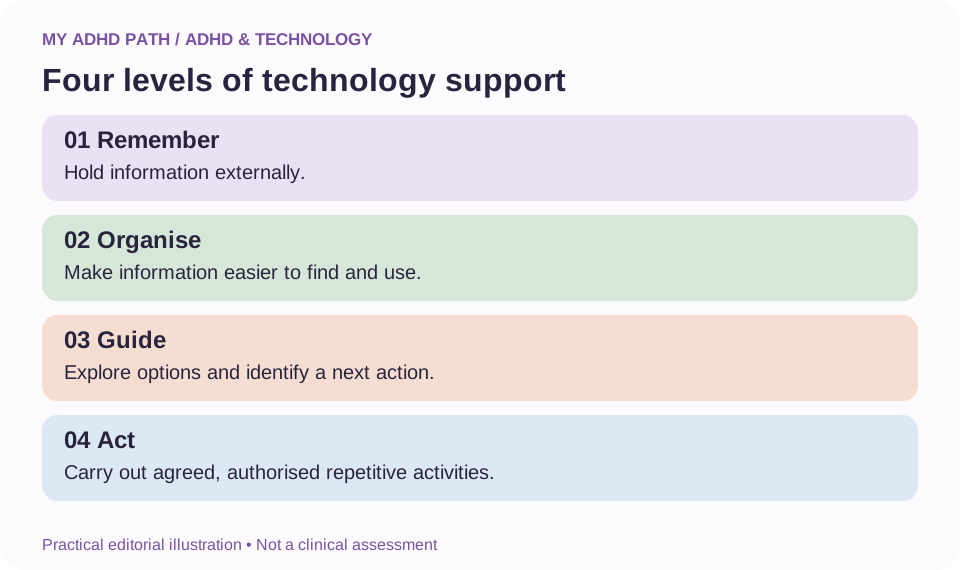
One way to explore the potential of technology is to consider four practical levels of support.
Good to know
This is a My ADHD Path editorial framework, not an established clinical model.
Level one: Remember
Technology holds information that you would otherwise need to retain independently.
Examples include calendars, reminders, notes and digital documents.
Level two: Organise
Technology helps make information easier to locate, understand and navigate.
Examples include searchable notes, subject folders, templates and automatic categorisation.
Level three: Guide
Technology helps you interpret a situation, identify options, sequence activities or establish a starting point.
Examples include AI assistants, guided planning tools and interactive workflows.
Level four: Act
Technology carries out an agreed activity or repetitive process.
Examples include scheduled reminders, automatic payments, recurring backups and authorised administrative automations.
These levels are not a progression that everybody needs to follow.
A simple reminder may be the most effective solution for a particular responsibility.
More sophisticated technology is only useful when it addresses a genuine need.
Technology as an external support system
Our working memory article explores how holding information while completing an activity can become particularly demanding.
Technology can provide somewhere external for that information to live.
Imagine you're working on a project involving several separate activities.
You need to remember what you've completed, which information is missing, what somebody has promised to send you and where to begin when you return.
Maintaining all that information mentally may require considerable effort.
A written project summary can hold some of those details externally.
A digital assistant might help turn your existing notes into a clearer summary.
A task management system could record outstanding actions.
This is an example of cognitive offloading.
Good to know
Cognitive offloading involves using external actions or resources to reduce particular cognitive demands. Writing a shopping list is cognitive offloading. Setting an alarm is cognitive offloading. Recording intermediate calculations rather than attempting to remember them all mentally is cognitive offloading. Digital technology simply provides additional ways to apply the same principle.
Seven types of technology that can support ADHD
1. Calendars and reminder systems
Calendars can make future commitments visible.
Reminders can provide external cues for activities that might otherwise be forgotten.
Useful applications include appointments, medication reminders, birthdays, deadlines and recurring household responsibilities.
The effectiveness of a reminder depends partly on whether it arrives at an appropriate time and provides enough information to act.
Try this
A reminder that says "dentist" may be less helpful than one that also includes the appointment time and location.
2. Digital capture tools
A note-taking app, voice recorder or digital notebook can provide somewhere to put information quickly.
This can be particularly useful when an unrelated thought arises during another activity.
Rather than immediately switching tasks, you can capture the thought and return to it later.
The important consideration is having a reliable place to review captured information.
Otherwise, a digital notebook can simply become another unmanageable collection of reminders.
3. Visual planning and time tools
Timelines, visual timers and scheduling tools can make time and sequences of activities more explicit.
For example, working backwards from an appointment can help identify when you need to prepare and leave.
Time tracking can also provide information about how long familiar activities typically take.
These tools should support realistic planning rather than create unnecessary pressure.
4. Assistive reading and writing technology
Text-to-speech, speech-to-text, accessible reading formats, captions and other assistive technologies can make certain activities more accessible.
Some people find listening to information alongside reading helpful.
Others find dictation makes capturing ideas easier.
The effectiveness of these tools depends on individual needs and the activity involved.
Educational and workplace policies may affect how particular technologies can be used.
5. Artificial intelligence assistants
AI assistants can help transform information into more manageable formats.
They may support brainstorming, summarising, explaining unfamiliar concepts, comparing options or breaking down complicated activities.
Their conversational nature allows you to clarify information and explore an activity one stage at a time.
However, AI systems can produce inaccurate or misleading information.
They require appropriate oversight, especially when activities have significant consequences.
6. Automation tools
Automation allows certain agreed activities to occur without requiring repeated manual actions.
Examples include recurring calendar entries, scheduled backups and established email sorting rules.
More advanced automations can connect several systems.
The benefit comes from reducing unnecessary repetitive administration.
Automations still need to be configured, tested and monitored.
7. Distraction and accessibility tools
Focus settings, website blockers, notification controls and operating system accessibility features can help modify digital environments.
Some people benefit from temporarily reducing access to particular distractions.
Others need to retain communication channels for work, caring responsibilities or accessibility.
These tools should remain flexible enough to reflect individual needs.
Fifteen practical ways technology can make everyday life easier
1. Create one reliable capture system
Choose a familiar place to record thoughts, reminders and information that you need to revisit.
This could be an existing notes app.
You don't necessarily need to download anything new.
The objective is to reduce the number of places you need to search when looking for something.
2. Make appointments actionable
Include relevant information in calendar entries.
An appointment might contain the location, contact number, documents you need and when you plan to leave.
This reduces the amount of preparation you need to reconstruct later.
3. Ask technology to clarify your next action
Instead of recording an activity as "sort out paperwork", establish what the activity actually requires.
An AI assistant might help you identify the first practical step based on information you provide.
For example:
"Find the latest council tax statement."
A clearly defined action can be easier to approach than a broad, ambiguous responsibility.
4. Create reminders at useful moments
Consider whether you need a reminder before an activity, when it is time to begin or when follow-up is required.
An appointment reminder that appears ten minutes before you need to leave may provide insufficient preparation time.
Choose timings that reflect your actual circumstances.
5. Automate predictable responsibilities
Consider recurring activities that follow a consistent pattern.
These might include regular calendar entries, backups or agreed payments.
Review financial automations regularly, maintain appropriate funds and retain control over your spending.
Automation should reduce administration without removing necessary oversight.
6. Use voice to capture information
If typing interrupts your train of thought, voice input may be useful.
You might dictate an idea, record a draft or create a reminder.
Use voice tools in a suitable environment and respect other people's privacy.
Do not record confidential conversations without an appropriate basis and permission where required.
7. Make digital information easier to find
Use clear filenames, predictable folder locations and searchable notes.
You do not need an elaborate filing system.
A structure that allows you to locate important information reliably may be enough.
8. Create reusable templates
Many responsibilities repeat.
Preparing for meetings.
Writing invoices.
Planning meals.
Reviewing a school assignment.
Use appropriate templates to hold the structure externally.
You can then concentrate on the information that changes.
9. Reduce unnecessary notifications
Review which applications interrupt your attention.
Keep notifications connected to essential responsibilities, safety, accessibility and meaningful commitments.
Consider disabling those that consistently introduce unnecessary distractions.
10. Use AI to help interpret complex information
You might ask an assistant to explain an unfamiliar concept, summarise material or identify questions you need to investigate.
Check important information against authoritative sources.
AI-generated summaries are not substitutes for legal, financial or medical advice.
11. Leave digital restart notes
Before moving away from a project, record what you've completed and what needs to happen next.
Some digital tools can help generate a draft summary from the information you've recorded.
This can make returning to interrupted activities more manageable.
12. Reduce repeated decisions
Establish defaults for recurring responsibilities.
For example, you might have a familiar grocery list or a standard weekly planning template.
Technology can help store and retrieve these defaults.
They should remain flexible rather than become rules you feel obliged to follow.
13. Make shared responsibilities visible
Shared calendars and agreed task systems can help families or colleagues coordinate activities.
Everyone involved should understand who is responsible for what.
Technology should support communication rather than become a way to monitor or control other people.
14. Use accessibility features you already have
Explore your existing device's accessibility settings.
Depending on the device, these might include dictation, spoken text, captions, display adjustments and focus controls.
Free built-in features may address some needs without additional subscriptions.
15. Review the technology you no longer need
Occasionally review which tools genuinely support you.
Are you paying for applications you rarely use?
Are you duplicating information across multiple systems?
Does maintaining a particular tool require more effort than it saves?
Removing unnecessary technology can be just as useful as introducing something new.
Artificial intelligence: more than another place to store information
Traditional digital tools generally operate according to defined instructions.
You create a calendar entry.
You add a task.
You save a document.
AI assistants can also help interpret and transform information.
Imagine you have a collection of unfinished projects, unread emails, household responsibilities and professional commitments.
A traditional notes app can store that information.
A conversational AI assistant may be able to help you organise it into categories, identify dependencies, establish priorities and explore realistic next actions based on your instructions.
It can also ask questions when information is missing.
This potential is particularly interesting when difficulties involve more than remembering responsibilities.
For example, you might need help distinguishing which tasks are actionable today from those that require further information.
Or you might need to work through a particularly demanding activity one step at a time.
AI can provide that kind of interactive support when appropriately configured.
It does not mean the system understands your needs perfectly or makes reliable decisions on your behalf.
Its suggestions may be incomplete, inaccurate or unsuitable.
You remain responsible for reviewing important decisions.
From a brain dump to a useful plan
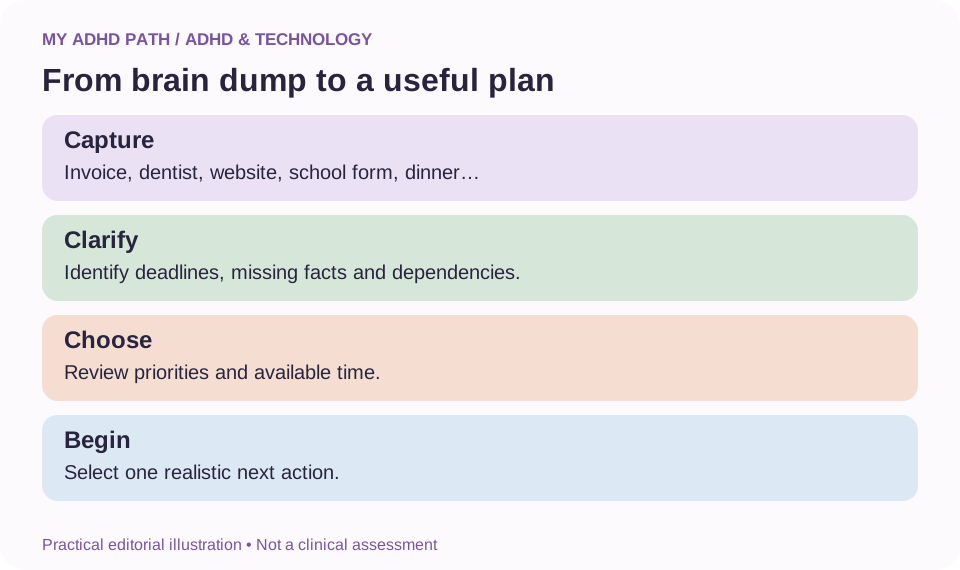
Imagine typing the following into a digital assistant:
"I need to send an invoice, book a dentist appointment, finish my website, remember my son's school form, renew my insurance, work out dinner and reply to a client."
A basic task list would simply display seven activities.
A more useful planning interaction might help establish:
| Activity | Possible next action |
|---|---|
| Invoice | Locate the agreed invoice amount and client details |
| Dentist | Check appointment availability |
| Website | Identify the next unfinished feature rather than the entire project |
| School form | Confirm its submission deadline |
| Insurance | Establish the renewal date and relevant terms |
| Dinner | Choose a practical meal using available ingredients |
| Client | Identify whether a response is time-sensitive |
The assistant could then ask which responsibilities have deadlines today and how much time is realistically available.
Once those details are established, it could help you create a manageable sequence.
Notice that the value isn't simply in recording seven activities.
It's in helping turn seven competing responsibilities into clearer decisions.
Good to know
The example is illustrative. An AI assistant cannot reliably establish facts about your commitments unless it has suitable information and, where required, authorised access.
Technology that works with you rather than demanding more from you
A common mistake when introducing a new productivity system is creating an impressive structure that requires considerable ongoing maintenance.
Every task needs a label.
Every project has a colour.
Every piece of information belongs in one of twelve carefully designed categories.
The system makes perfect sense.
Until you stop using it.
For some people with ADHD, complex systems introduce additional executive functioning demands.
A simpler approach may be more sustainable.
Consider whether a tool helps you answer three essential questions:
What do I need to know?
What do I need to do?
What happens next?
If you need to navigate an elaborate system every time you want an answer, the design may be working against your needs.
The minimum useful digital system
You do not need to adopt an entire collection of new applications to benefit from technology.
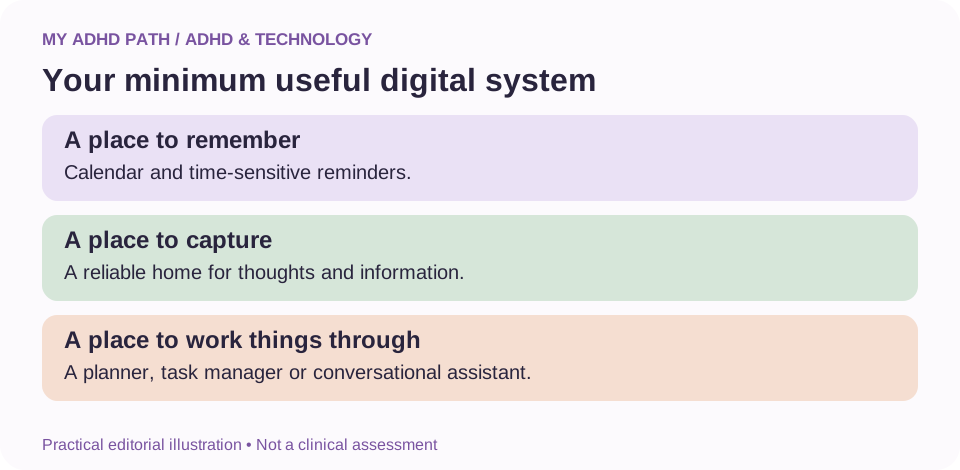
A basic system might contain three components.
A place to remember
A calendar and reliable reminders for time-sensitive commitments.
A place to capture
A familiar location for notes, information and emerging ideas.
A place to organise and work through things
A task manager, planning tool or conversational assistant that helps you make sense of what requires attention.
These components do not necessarily need to be separate applications.
One tool may support several functions.
Build from the systems you already use.
Only introduce additional technology when you can identify a need that your existing tools do not meet.
Automation: remembering less
Imagine that every Monday morning you need to remember to complete several small administrative activities.
You need to check a particular report, update a document and send yourself a reminder about an upcoming responsibility.
Individually, the activities are relatively straightforward.
Collectively, they create another collection of things to remember.
Automation may help reduce that recurring mental workload.
A scheduled process might retrieve an available report or create a recurring reminder.
A digital workflow could organise information from approved systems.
An email rule might direct relevant messages to one accessible location.
The purpose is not to automate every aspect of daily life.
It's to remove repetitive, predictable demands where doing so is appropriate.
For activities involving money, important communications, confidential information or potentially serious consequences, maintain suitable human review and security controls.
Automation should not create new problems simply because a process happens without your direct involvement.
How to avoid digital overwhelm
There is an almost unlimited number of tools that claim to make life easier.
New applications appear constantly.
Existing applications introduce additional features.
Social media provides an endless supply of elaborate digital organisation systems.
Exploring these tools can be enjoyable.
But continually changing systems can also consume time and attention.
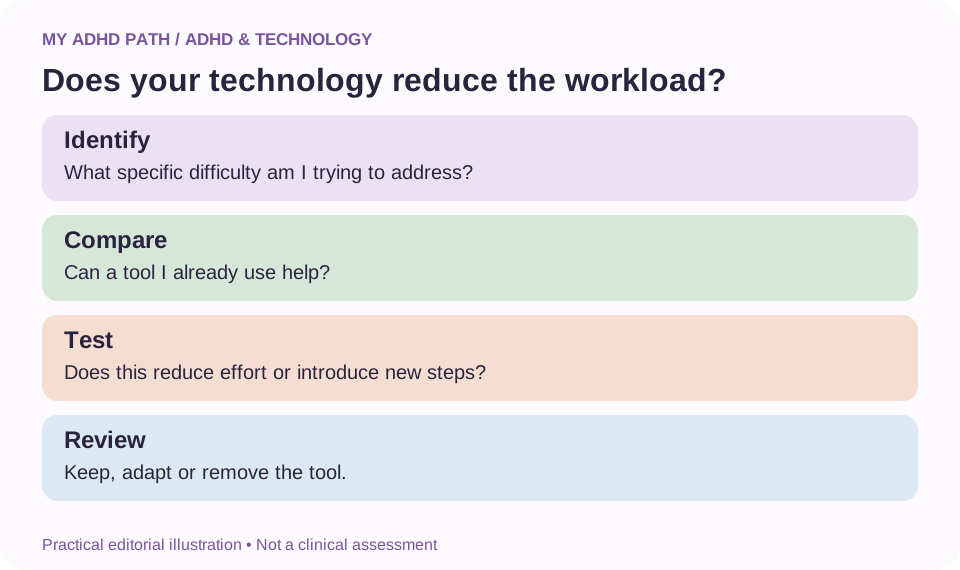
Before introducing something new, ask:
- What specific difficulty am I trying to address?
- Can an existing tool already help?
- How much setup and maintenance is required?
- Does it create another subscription?
- What happens if I stop using it?
- Can I export or recover important information?
The most useful technology for ADHD isn't necessarily the technology that helps you do more.
Choose technology because it addresses a need rather than because it looks impressive.
A tool that you use consistently is often more valuable than a sophisticated system you rarely open.
Technology and ADHD in the workplace
Workplace responsibilities frequently involve managing several streams of information at once.
Meetings, email, deadlines, messages and unexpected requests can compete for attention.
Technology may help through accessible meeting notes, calendar reminders, agreed task tracking, speech-to-text tools and structured workflows.
AI may also help draft summaries or clarify next steps when appropriate.
However, confidential business information should only be processed using authorised systems.
Some workplaces have restrictions on external AI tools, recording meetings or uploading documents.
Explore whether your employer provides approved assistive technology.
For eligible individuals in Great Britain, Access to Work may be another route to support, depending on individual circumstances and assessment.
Our workplace adjustment and Access to Work guides explain these possibilities in more detail.
Technology for ADHD students
Students can use digital tools to help organise learning, access information and practise independent recall.
Examples include:
- Digital flashcards.
- Accessible textbooks.
- Text-to-speech.
- Calendar reminders for deadlines.
- Worked examples.
- Structured revision planners.
- AI-assisted explanations.
- Practice questions with feedback.
The purpose is to make learning more accessible.
It is important to distinguish between technology helping a student understand an activity and technology completing the activity for them.
AI-generated coursework, for example, may breach educational policies and prevent a student from developing the knowledge being assessed.
Use tools in ways that support genuine learning and comply with school, college or university requirements.
Technology for parents and families
Family life involves significant amounts of coordination.
School communications.
Appointments.
Shopping.
Activities.
Household responsibilities.
Forms.
Dates.
Technology can help externalise some of that information.
A shared calendar may make commitments visible.
A recurring checklist could support a school morning routine.
An agreed reminder system may help children develop increasing independence.
Digital support should not become a means of intrusive surveillance or unnecessary control.
Where children use AI or online services, consider age requirements, privacy, safeguarding and appropriate supervision.
The aim is to support families in managing responsibilities together.
Technology for entrepreneurs and self-employed people
Running a business can involve moving between creative work, administration, financial responsibilities, communication and long-term planning.
Some of those roles may be particularly demanding when they require constant switching or maintaining information across numerous projects.
Technology can help by providing structured project summaries, reusable processes, defined workflows and clearer administrative routines.
AI assistants may help explore ideas, organise research or translate a broad project objective into smaller activities.
Automation may help reduce repetitive processes.
However, business owners remain responsible for financial decisions, legal obligations, customer data and the quality of the work they produce.
Technology can support those responsibilities without replacing professional judgement.
Three different experiences of technology and ADHD
The following scenarios are fictional illustrations.
Illustrative scenario
Emma, 39 - When reminders aren't enough
Emma uses several task management applications. Each contains a slightly different collection of responsibilities. She regularly opens them, feels overwhelmed and closes them again. Instead of introducing another app, she consolidates her outstanding activities into one reliable system. She then uses a planning assistant to help identify deadlines, dependencies and manageable starting actions. She still makes her own decisions, but the information becomes easier to work with.
Illustrative scenario
Daniel, 46 - Reducing repetitive administration
Daniel runs a small business. Every week, he spends time remembering which reports need checking and which follow-up activities are outstanding. He creates a consistent weekly review template and sets up reminders for predictable responsibilities. Where appropriate, he introduces simple automations using approved business systems. The aim is to reduce repeated administrative effort while retaining control over important decisions.
Illustrative scenario
Maya, 20 - Technology that helps her learn
Maya struggles to retain information from lengthy academic texts. She uses text-to-speech when it suits the material and asks an AI assistant to help divide complex explanations into manageable sections. She follows each section with independent recall practice and checks unfamiliar information against her course resources. The technology supports her learning rather than producing her assignments for her.
Protecting your privacy and digital safety
Technology can be particularly useful when it has access to relevant information.
However, the information needed to personalise support may include sensitive details about finances, health, education, work or family life.
Consider:
- What information the service collects.
- Where information may be stored.
- Whether uploaded information may be used for other purposes.
- Which permissions you have granted.
- Whether the service offers appropriate privacy controls.
- How you can delete or export information.
- Whether you are authorised to share somebody else's information.
Use strong, unique passwords and multifactor authentication where available.
Avoid sharing passwords, authentication codes or unnecessary personal information with AI assistants.
Be particularly careful when granting technology permission to send messages, make purchases, access confidential records or alter important files.
More access is not always better.
Choose permissions that reflect the specific activity you want the technology to support.
What the research says
Executive functioning difficulties are well documented in ADHD research, although their nature and severity vary between individuals. Research also recognises the role of external tools in supporting cognitive activities through cognitive offloading. Clinical guidance recognises environmental modifications and individually appropriate support as relevant aspects of ADHD management. However, these findings should not be interpreted as evidence that every digital tool or AI assistant improves ADHD symptoms. Evidence varies considerably across technologies. Established assistive features, digital organisational tools, computerised cognitive training and generative AI assistants are different categories of technology. They should not be treated as interchangeable. Research into generative AI as everyday executive functioning support remains an emerging area. Personal experience may suggest useful opportunities, but broader clinical and long-term evidence is still needed. Our approach is therefore practical and individualised. We explore what technology can do, identify its limitations and encourage people to evaluate whether it genuinely improves their everyday experience.
Create your personal technology support profile
Before introducing new tools, consider your existing needs.
| Question | Illustrative answer |
|---|---|
| Which responsibilities regularly create mental workload? | Planning, following up and remembering deadlines |
| Which information do I frequently lose track of? | Meeting decisions and unfinished activities |
| Which decisions feel particularly demanding? | Choosing what to work on first |
| Which tools already help me? | My calendar and voice notes |
| Which systems require too much maintenance? | Several overlapping planning apps |
| Which responsibilities could be simplified? | Recurring administrative reminders |
| Which information requires additional privacy? | Client records and financial documents |
| What would meaningful improvement look like? | Fewer missed actions and an easier starting point |
Use these answers to identify one useful change.
You do not need to transform your entire relationship with technology immediately.
Downloadable resource
My ADHD Technology Audit
A printable worksheet to help you identify your current tools, barriers, duplication, maintenance demands, privacy requirements and one improvement to test.
Download PDFYour seven-day technology experiment
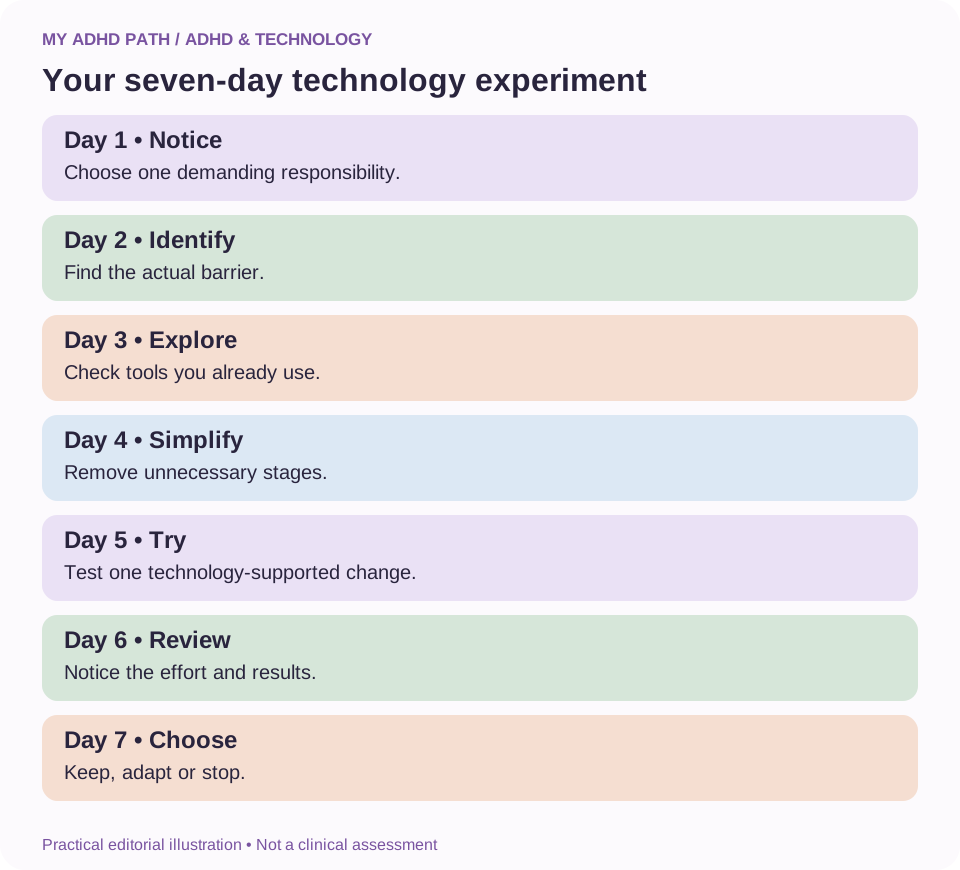
Day one: Identify the mental workload
Choose one recurring responsibility that feels particularly demanding.
Day two: Identify the actual barrier
Is the difficulty remembering, organising, understanding, deciding or starting?
Day three: Explore your existing tools
Check whether something you already use could provide suitable support.
Day four: Simplify the process
Remove unnecessary stages or create a clearer sequence.
Day five: Try one technology-supported change
Use an appropriate reminder, template, accessibility feature or assistant.
Day six: Review the process
Notice whether the change has reduced effort or introduced new responsibilities.
Day seven: Decide what to keep
Continue using the approach if it helps.
Adapt it or abandon it if it doesn't.
Good to know
This is an informal personal experiment, not a test of ADHD symptoms or a clinical intervention.
Six AI prompts to get started
AI prompt
Identify the real barrier
"Help me understand why this activity feels difficult. Ask me questions to establish whether I need support with remembering, planning, prioritising, understanding or getting started. Don't diagnose me."
AI prompt
Organise a brain dump
"Organise these thoughts into actionable tasks, future ideas, information to keep and things that are waiting for somebody else. Don't invent deadlines."
AI prompt
Find my next action
"Help me identify one realistic next action based on my available time, current commitments and the information I've provided."
AI prompt
Simplify a system
"Review this organisation system and suggest how I could reduce the number of steps, applications and decisions it requires."
AI prompt
Create a reusable template
"Help me create a simple template for this recurring activity. Include essential information and avoid unnecessary complexity."
AI prompt
Identify opportunities for automation
"Review these repetitive activities. Suggest which might be suitable for automation, what risks or permissions I should consider and where human review is necessary."
Review outputs before acting on them.
AI can misunderstand your circumstances, produce incorrect information and overlook important requirements.
Frequently asked questions
Can technology help people with ADHD?
Technology can support particular activities, including planning, remembering and organising information. Its usefulness varies according to the individual and the task.
Is there one best app for ADHD?
No. Different people benefit from different combinations of tools. The most useful application is one that addresses a genuine need without introducing unnecessary workload.
Can AI replace an ADHD coach?
AI can offer certain forms of structured assistance, but it cannot reliably replace the expertise, relationship and professional judgement of an appropriately qualified human practitioner.
Is AI an ADHD treatment?
No. General-purpose AI assistants are not established clinical ADHD treatments. They may provide practical support alongside appropriate care.
Why do I keep abandoning productivity apps?
Possible reasons include excessive complexity, maintenance demands, changing circumstances or a mismatch between the tool and the difficulty you're trying to address.
Is using technology a form of cognitive offloading?
It can be. External tools allow you to retain, retrieve or organise information without relying entirely on internal cognitive processes.
Can technology help with time blindness?
Timers, visual schedules and reminders can make aspects of time more visible. Their effectiveness varies between individuals.
Can AI help me decide what to do first?
AI may help organise information and compare priorities based on your circumstances. Review its suggestions and retain control of important decisions.
Will relying on technology make my memory worse?
Using external supports does not automatically damage memory. However, if you need to learn information for independent recall, appropriate memory practice remains important.
Is automation useful for people with ADHD?
Automation may reduce repetitive administrative responsibilities. It requires appropriate configuration, monitoring and safeguards.
Do I need to spend money on specialist technology?
Not necessarily. Existing devices often include useful reminders, accessibility features and organisation tools.
Can Access to Work fund assistive technology?
In Great Britain, eligible applicants may receive support based on their needs and an assessment. Funding for any specific technology is not automatic.
Can too much technology make life more difficult?
Yes. Notifications, multiple subscriptions and complicated systems can introduce additional demands and distractions.
Is it safe to give an AI assistant access to my information?
It depends on the service, information involved, permissions and security arrangements. Share only what is necessary and review important privacy settings.
Can technology help children with ADHD?
Appropriate tools may support learning and everyday responsibilities. Consider age, accessibility, safeguarding, educational requirements and individual needs.
Where should I start?
Choose one recurring difficulty. Identify the specific process that needs support and explore a simple technological approach before introducing additional tools.
Technology should give you something back
Time.
Space.
Clarity.
Confidence.
The ability to begin an activity without first having to organise everything surrounding it.
These are some of the potential benefits of technology when it genuinely meets your needs.
It isn't about becoming the most organised person in the room.
It isn't about having the most sophisticated digital system.
And it certainly isn't about filling your phone with another collection of applications.
It's about making everyday life a little more accessible.
For some people, that might mean a reliable calendar.
For others, it might mean assistive reading technology, an AI assistant or a carefully designed automated workflow.
The technology itself is not the objective.
What matters is what it allows you to spend more of your time and energy doing.
Sources and further reading
- Diamond, A. (2013). Executive functions. Annual Review of Psychology. https://doi.org/10.1146/annurev-psych-113011-143750
- Risko, E. F. and Gilbert, S. J. (2016). Cognitive offloading. Trends in Cognitive Sciences. https://doi.org/10.1016/j.tics.2016.07.002
- Willcutt, E. G. et al. (2005). Validity of the executive function theory of attention-deficit/hyperactivity disorder: A meta-analytic review. Biological Psychiatry. https://doi.org/10.1016/j.biopsych.2005.02.006
- Faraone, S. V. et al. (2021). The World Federation of ADHD International Consensus Statement: 208 evidence-based conclusions about the disorder. https://doi.org/10.1016/j.neubiorev.2021.01.022
- NICE - Attention deficit hyperactivity disorder: diagnosis and management (NG87). https://www.nice.org.uk/guidance/ng87
- NHS - ADHD. https://www.nhs.uk/conditions/adhd/
- GOV.UK - Access to Work. https://www.gov.uk/access-to-work
- Information Commissioner's Office. https://ico.org.uk/
- National Cyber Security Centre. https://www.ncsc.gov.uk/
- World Health Organization - Global report on assistive technology. https://www.who.int/publications/i/item/9789240049451
This article provides general educational information. Technology and AI should not be regarded as substitutes for appropriate medical care, professional advice or individual assessment. All personal scenarios and editorial frameworks are illustrative.